QR Code Size Guide for Print: The Definitive 2026 Reference
The minimum QR code size for business cards, posters, packaging, billboards, and more - with the distance-to-size rule and how error correction affects sizing.
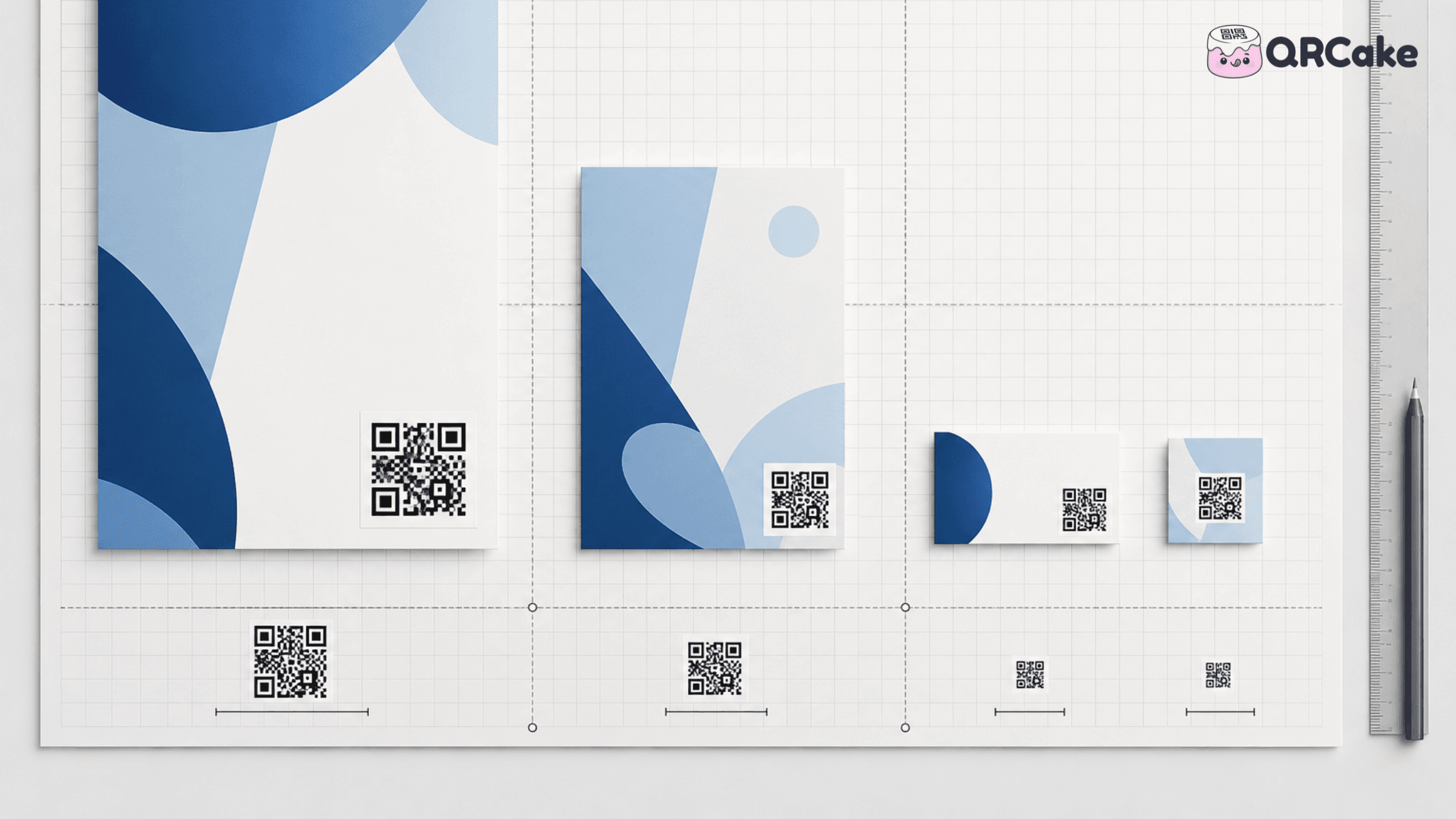
This guide gives you the rules, the numbers, and the use-case-by-use-case minimum sizes. Print to these and your codes will scan.
The 30-second version
One rule covers 90% of size-related scan failures:
Minimum code size = scan distance ÷ 10.
Applied to the most common print uses:
- Business cards: 2.5 cm minimum (3 cm is safer).
- Restaurant table standees: 3 cm minimum.
- Product packaging: 2.5 cm minimum.
- Storefront windows: 15 cm minimum (read from 1-2 m away).
- Indoor posters: 15 cm minimum.
- Trade-show backdrops: 30-40 cm.
- Building signage: 75 cm.
- Billboards: 1 metre minimum (more for distant placements).
If you are unsure, go bigger. An oversized code has never caused a scan failure; an undersized one fails routinely.
The single most important rule
Minimum code size = scan distance ÷ 10
A code scanned from arm's length (about 30 cm) needs to be at least 3 cm. A code scanned from across a room (about 3 metres) needs to be at least 30 cm. A code scanned from across a car park (10 metres) needs to be at least 1 metre.
The "÷ 10" ratio is a working approximation drawn from the QR specification combined with how modern phone cameras actually behave. Some sources cite 10:1; some cite 8:1 for newer phones. Plan for 10:1 and you'll never be the cause of a scan failure.
Everything below is an application of this rule.
Minimum sizes by use case
| Use case | Typical scan distance | Minimum code size | Recommended size |
|---|---|---|---|
| Business card | 20-30 cm | 2 cm | 2.5-3 cm |
| Restaurant table standee | 30 cm | 2.5 cm | 3-4 cm |
| Menu insert / flyer | 30-50 cm | 3 cm | 4 cm |
| Product packaging | 30-50 cm | 2.5 cm | 3 cm |
| Magazine / newspaper ad | 30-50 cm | 3 cm | 4 cm |
| Storefront window | 1-2 m | 10-20 cm | 15 cm |
| Indoor poster (corridor) | 1-2 m | 10-20 cm | 15 cm |
| Trade show banner / large poster | 2-4 m | 20-40 cm | 30 cm |
| Vehicle wrap / side of van | 2-5 m | 25-50 cm | 40 cm |
| Building signage | 5-10 m | 50 cm - 1 m | 75 cm |
| Billboard / outdoor poster | 10-30 m | 1-3 m | 2 m |
| Trade show booth backdrop | 3-5 m | 30-50 cm | 40 cm |
| TV screen / video | varies (1-4 m typical) | 15-25 cm equivalent | 20% of frame height |
A few of these need explanation.
Business cards. 2 cm is the absolute minimum but leaves no margin for poor lighting. 2.5-3 cm is the safe size. If your card is small (UK standard 85 × 55 mm), the code might dominate the design at 3 cm - accept this. A scannable code that takes up real estate is better than a beautiful card with a code nobody can read.
Restaurant table standees. The standee itself is usually 5-8 cm wide; the code occupying half that area is right. Don't make it smaller in the name of design.
Magazine ads. The reader is sitting on a sofa with the magazine in their lap. Treat this as 30-50 cm scan distance. 3 cm minimum, 4 cm comfortable.
Storefront window. Pedestrians stop at 1-2 m to look in. 15 cm is the right target. Smaller and people walk past without registering the code; larger and it dominates the window unnecessarily.
Vehicle wraps. People scanning these are stationary (pedestrians at traffic lights) or moving slowly. The viewing distance is 2-5 m. 40 cm is right.
TV / video. The QR code is displayed for a few seconds at most, and viewers are several metres from the screen. The code needs to fill at least 15-20% of the frame's height, with a clear call to action and ideally several seconds on screen. Smaller or shorter, and the scan rate collapses.
Error correction levels and why they matter for sizing
QR codes have four error correction levels: L (Low, ~7% damage tolerance), M (Medium, ~15%), Q (Quartile, ~25%), and H (High, ~30%).
Higher error correction means the code can tolerate more damage and still scan - but it also makes the code denser, which means at the same printed size, a higher-error-correction code is harder to scan than a lower-error-correction one.
The trade-off:
- L: sparsest pattern, easiest to scan at small sizes - but breaks if anything obscures the code.
- M: standard. Good balance. Use this for most digital and indoor print use cases.
- Q: more density, more tolerance. Use for outdoor codes that might collect dust or weather damage.
- H: densest, most tolerant. Use for industrial, harsh-environment, or critical-asset codes where a 30% obscured code still needs to work.
The sizing implication: if you bump error correction from M to H, you should also bump the printed size by roughly 25-30% to keep scanability constant. A 3 cm M-level code is functionally equivalent to a 4 cm H-level code in scan reliability.
For most use cases, stay at M. For outdoor or industrial codes, use Q or H and size up accordingly.
How encoded data length affects size
This is the part most sizing guides skip.
A QR code is denser (more modules per side) when it encodes more data. The smallest QR codes have a 21 × 21 grid; the largest have a 177 × 177 grid.
What this means in practice:
- A short URL encodes in a sparse 25 × 25 or 29 × 29 grid.
- A long URL with UTM parameters might encode in a 41 × 41 or 49 × 49 grid.
- A full vCard with name, phone, email, address, and a couple of social links might encode in a 57 × 57 or larger grid.
The implication: a code encoding more data needs to be printed bigger to remain scannable. A static code with a 200-character URL at 2 cm is unreadable. The same physical size for a dynamic code's short URL is comfortably scannable.
The fix: for any code that will be printed small (business cards, packaging), use a dynamic code. The dynamic code encodes a short redirect URL, so the pattern stays sparse. Static codes work fine for short URLs and for codes printed large.
If you're stuck with a static code containing a long URL: shorten the URL first (via a URL shortener or by simplifying the path) and regenerate the code.
The quiet zone (and why it matters)
Every QR code needs blank space around it. This is the "quiet zone" and it's required by the QR specification. Scanners use the contrast between the code and its surrounding blank area to identify the code boundaries.
The rule: the quiet zone should be at least 4 modules wide on every side. In practice, leave a margin equal to 10% of the code's width.
A 3 cm code needs at least 3 mm of blank space on each side. A 30 cm code needs at least 3 cm.
This catches more design teams than you'd expect. A QR code placed right up against the edge of a business card - or tucked into the corner of a poster with a frame around it - often won't scan reliably even if everything else is right.
Sizing for non-square placements
QR codes are square. They scan best when the printed area available for them is also square (or larger than they need in all directions).
Common problems:
- Long, thin spaces (banners, the edge of a flyer): you're tempted to shrink the code to fit the narrow dimension, but that fights the size requirement. Either make the banner wider for the QR placement, or rotate the design so the QR has more space.
- Curved surfaces (drink cans, water bottles, curved packaging): the code distorts in the user's camera. Print the code on a flat panel of the package, not the curved face.
- Behind glass or laminate (museum displays, glossy print): reflection often breaks scans. Make the code 20-30% larger than the formula suggests, or use a matte finish.
Scanning across the room: large-format sizing
For posters and billboards, the formula still holds - but the practical challenge is different. At long distances, the code needs to fill enough of the camera's field of view to be detected.
Useful guidance for large formats:
- 2 m × 2 m billboard scanned from 10 m away: 1 m code minimum. Practically, expect very few scans - most people don't have time to pull out their phone, focus, and scan something they're walking past or driving by.
- Building-side mural scanned from across a plaza: 1.5-2 m minimum. Even then, scan rates are low.
- Trade show backdrop scanned from booth distance: 30-50 cm works because viewers stop and engage.
Large-format QR codes are most effective at distances where the viewer will actually stop. Billboards on highways generate almost no scans no matter how big the code. Billboards in pedestrian-heavy areas where people stop to wait (bus stops, train platforms) can work.
The "is bigger always better?" question
Within reason, yes. Up to a point.
Going from 2 cm to 4 cm dramatically improves scan reliability. Going from 4 cm to 8 cm helps modestly. Going from 8 cm to 16 cm makes little practical difference for hand-scan distances.
The diminishing return point is roughly: a code 2× the minimum required size has captured most of the available scan-reliability improvement.
There's one case where bigger is genuinely worse: if the code is so large that the user has to back up to fit it in frame, the code is fighting the user. A QR code that requires walking three steps backwards to scan is a worse experience than one that fits in frame at arm's length.
Print resolution and quality
Size isn't only about physical dimensions - print resolution matters too.
Practical guidance:
- Print at 300 DPI or higher. Lower resolutions create blurred module edges that break scans.
- Use vector formats (SVG, EPS) for any code that will be printed. SVG scales to any size without quality loss. PNG works but produces blurry edges if scaled up.
- Confirm the printer hasn't applied colour management that shifts your black towards grey. Black-on-white codes printed on a colour-managed press sometimes come out as dark-grey-on-cream, which kills contrast.
Always ask your printer for a proof and scan-test it before committing to a print run.
Testing protocol before printing at volume
The full test:
- Generate the code at the dimensions you plan to use.
- Print one copy at the actual planned size on the actual planned material.
- Scan with at least one iPhone (Camera app) and one Android phone (Camera app or Google Lens).
- Scan from the closest distance someone might approach.
- Scan from the furthest distance someone might approach.
- Scan in the dimmest light the code is likely to encounter.
- Test with the code at a typical viewing angle (not directly head-on).
- Confirm the destination URL loads in under 3 seconds on mobile.
If all eight steps pass, you can print at volume with confidence. If any fail, fix and retest.
Frequently asked questions
What is the smallest a QR code can be? For arm's-length scanning with a modern phone, 2 cm × 2 cm is the practical minimum. Smaller codes exist in industrial micro-QR applications, but they require purpose-built scanners and aren't suitable for general consumer scanning.
How big should a QR code be on a billboard? For a billboard intended to be scanned from across a road or car park (10 m+), the code needs to be at least 1 m. In practice, billboard QR codes rarely get scanned regardless of size; people don't pull out their phones to scan something they're driving past.
Can I scale up a small QR code image without losing quality? Only if the original is in a vector format (SVG, EPS). PNG and JPG files lose quality when scaled up, producing blurred module edges. Always download the SVG version of your QR code when available.
What size should a QR code be on packaging? 2.5-3 cm minimum on flat panels. For very small packaging (drink cans, lipstick tubes), the code might not fit at a scannable size - consider redesigning the packaging or omitting the QR code rather than printing it too small.
Does dark mode on the destination page affect QR sizing? No. The QR code size is purely about whether the camera can read the printed pattern. What the destination page looks like is unrelated to scanning success.
Should the QR code be inside or outside the artwork's border? The QR code needs its own quiet zone (blank margin) regardless of where it sits. Inside or outside a border doesn't matter, as long as the quiet zone is preserved around the code itself.
What's the maximum QR code size? Practically unlimited. Massive QR codes have been printed on building sides, sports field markings, and in agricultural plantings. The functional limit is whether anyone can actually scan it - if the viewer can't see the entire code in their camera frame, no size is "big enough."
Does the code's colour affect required sizing? Yes, indirectly. Lower-contrast codes (mid-tones, pastels) need to be printed larger than the formula suggests to remain reliably scannable. Black-on-white at the minimum size scans more reliably than navy-on-cream at the same size.
Bottom line
The 10:1 distance-to-size rule covers most situations. Apply it, add 10% for safety, leave the quiet zone, and test before printing in volume. If you're generating the code with QR Cake, the dynamic short URL keeps the pattern sparse so you can hold to the minimum sizes the rule allows, even at small print formats.
For dynamic QR codes that stay sparse regardless of where they point - including codes for restaurant menus, business cards, packaging, and signage - generate them with a dynamic provider whose short URLs keep the pattern light. QR Cake's free dynamic codes are a reasonable starting point: short redirect URLs, no expiry, and you can swap the destination later without re-running the size and scan tests.
Create a small, scannable dynamic QR code
Ready to make your own QR code?
Create a dynamic QR code you can edit after printing. Free to start, no card required, unlimited scans, and your codes never expire.

About the QR Cake team
Written by the QR Cake team - the people building QR Cake, a dynamic QR code platform used for editable print campaigns, Canva QR codes, scan analytics, and long-lived QR redirects that keep working after subscriptions end.
Learn more about QR CakeFrequently asked questions
- What is the smallest a QR code can be?
- For arm's-length scanning with a modern phone, 2 cm × 2 cm is the practical minimum. Smaller industrial micro-QR codes exist but require purpose-built scanners.
- How big should a QR code be on a billboard?
- For a billboard scanned from across a road (10 m+), the code needs to be at least 1 m. In practice, billboard QR codes rarely get scanned regardless of size, because people don't stop to scan things they're driving past.
- Can I scale up a small QR code image without losing quality?
- Only if the original is a vector format like SVG or EPS. PNG and JPG files lose quality when scaled up. Always download the SVG version when available.
- What size should a QR code be on packaging?
- 2.5-3 cm minimum on flat panels. For very small packaging like drink cans or lipstick tubes, the code may not fit at a scannable size - consider omitting it rather than printing too small.
- What is the QR code 'quiet zone'?
- It's the blank margin required around every QR code so scanners can identify the code's boundaries. Leave at least 10% of the code's width as blank space on every side.
- Does the code's colour affect required sizing?
- Yes, indirectly. Lower-contrast codes need to be printed larger to remain reliably scannable. Black-on-white at the minimum size scans more reliably than navy-on-cream at the same size.
Related Articles
Keep reading practical QR code guides, examples, and optimization tips.
AI + QR Codes: 10 Campaign Ideas That Actually Work (Honest 2026 Guide)
AI doesn't change what a QR code is. It changes what's behind the code - landing pages, conversations, recommendations - and occasionally what the visual design of the code itself looks like.
QR Code API Guide: Generating and Managing Codes Programmatically (2026)
QR APIs come into their own when you need to scale beyond what a human clicking through a dashboard can handle. This is the developer's overview.
QR Cake vs Bitly QR: Which Is Better for Dynamic QR Campaigns?
Both platforms can generate QR codes. The more useful question is which one fits the work you need to do after the code has been printed and published.