QR Code API Guide: Generating and Managing Codes Programmatically (2026)
A developer's guide to QR code APIs - when to use them, common operations, code examples in JavaScript and Python, and how to choose between providers.
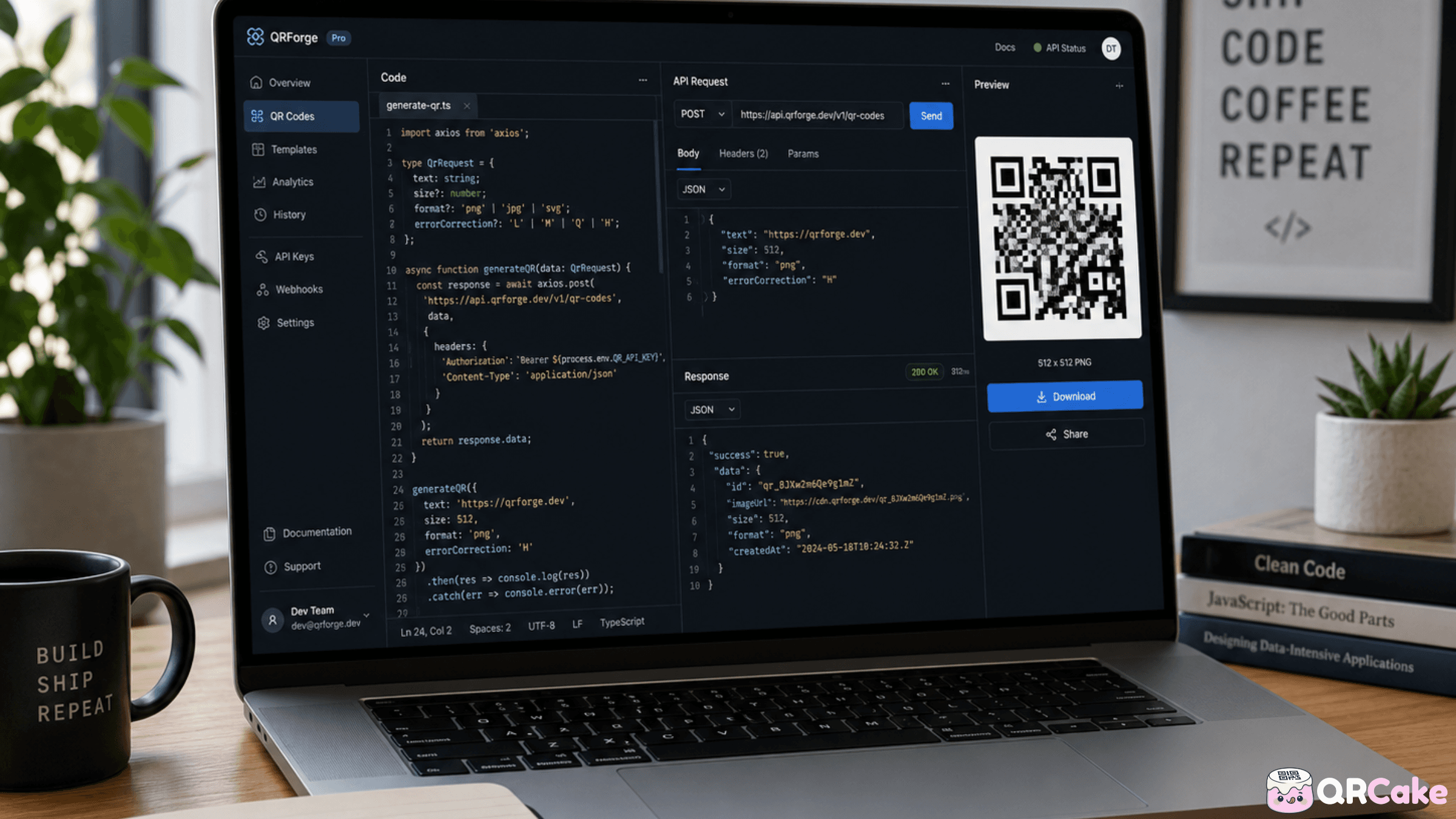
QR APIs come into their own when you need to scale beyond what a human clicking through a dashboard can handle: per-customer codes, per-order codes, integration with another system, bulk generation tied to a database. Done well, a QR API lets you treat codes as infrastructure - generated, managed, and tracked by your own software.
This guide covers when QR APIs are worth the engineering effort, the operations they typically support, working code examples, and how to evaluate providers' APIs against each other.
The 30-second version
QR code APIs are worth it when:
- You need per-customer or per-order codes generated programmatically (event tickets, loyalty cards, anti-counterfeit serials).
- You're integrating QR generation into a larger system (your CRM, your inventory management, your e-commerce platform).
- You're generating volume that's painful to handle by dashboard - typically more than a few dozen codes a month.
- You need to update destinations programmatically based on inventory, time, or user behaviour.
They're overkill when:
- You need a handful of codes for marketing. Dashboard is faster.
- The codes won't change and the volume is small. Static generation tools work.
- You don't have engineering capacity to integrate, maintain, and monitor an API integration.
Common QR API operations
Most QR APIs expose five or six core operations. The specific endpoint names differ between providers but the shape is similar.
1. Generate a new QR code.
POST a destination URL (and optional metadata) to the provider; receive back a code ID and a downloadable QR image URL.
2. Edit an existing dynamic code's destination.
PUT or PATCH to a code's endpoint to change where it redirects. Useful for inventory-driven destinations, time-of-day routing, or A/B testing.
3. Retrieve a code's analytics.
GET scan counts, time series, geographic breakdown, device split for a code. Useful for dashboard integration or reporting.
4. List or search existing codes.
GET a paginated list of codes in your account, optionally filtered by date, tag, or destination. Useful for management interfaces.
5. Delete or archive a code.
DELETE removes the code entirely (codes stop resolving). Some providers offer "archive" as a softer alternative that pauses without deleting.
6. Bulk operations.
Many providers offer batch endpoints: create N codes at once, update all matching a filter, export analytics for many codes. These have their own rate limits and pricing implications.
Authentication patterns
QR APIs typically use one of three auth models:
API key in a header. The simplest: include an Authorization Bearer token header in every request. Easy to implement; the catch is key rotation and revocation hygiene.
OAuth 2.0. More complex but better for multi-user or partner integrations. Token-based, scope-controlled, time-limited.
Signed requests with HMAC. Used by some providers for high-security scenarios. The client signs each request with a secret and a timestamp, preventing replay attacks.
For most use cases, the API key model is what you'll be working with. Store the key in environment variables, never commit it to source control, and rotate periodically.
Code examples
The examples below use a generic QR API pattern. Replace the base URL with your provider's actual endpoint and adjust field names to match.
Generate a code in JavaScript (Node.js):
A typical Node fetch call POSTs JSON with the destination URL, label, and code type. The response includes a code_id and image_url you can store and reference.
Generate a code in Python:
The equivalent in Python uses the requests library to POST the same JSON payload. Use environment variables for the API key and raise on non-2xx responses.
Update a code's destination:
A PATCH request to the code's endpoint with the new destination URL changes where every existing printed copy now redirects.
Get scan analytics:
A GET request to the code's analytics endpoint, optionally with date-range query parameters, returns counts and breakdowns.
These are illustrative patterns. Always consult the specific provider's documentation for actual endpoints and request/response formats.
Common API use cases
The patterns that come up repeatedly in real-world QR API integrations:
Per-order or per-customer codes.
E-commerce: every order ships with a QR code unique to that order, linking to that customer's specific landing page (re-order, review request, delivery tracking, etc.). The code is generated by the API at checkout, the image embedded in the packaging template.
Per-ticket or per-attendee event codes.
Event ticketing: every ticket gets a unique QR code that validates at the gate. The same API can later issue refund/transfer codes or post-event follow-up codes.
Per-product traceability codes.
Manufacturing and CPG: variable-data printing puts a unique code on each unit, linked to that unit's batch, origin, and traceability data. Required by some regulations like FSMA 204 and FDA UDI.
Per-location or per-region codes.
Multi-location businesses: API generates a code per location, with the destination set to that location's page or check-in flow. Updates propagate via API when locations open, close, or change details.
Inventory-driven destinations.
Retail: QR codes on shelf labels point at the product's listing page, but the destination changes when the product goes on sale, runs out of stock, or gets replaced by a new variant. The API updates destinations in response to inventory events.
Loyalty and rewards codes.
Hospitality and retail: each customer's loyalty card has a unique QR. The code links to that customer's loyalty profile. The API issues codes at signup and updates routing logic over time.
Anti-counterfeit codes.
Premium goods: every unit gets a unique QR. The API tracks scan patterns - multiple scans from different locations on the "same" code (which should be impossible for a genuine unique code) flag potential counterfeits.
Rate limits and bulk operations
QR APIs have rate limits - limits on how many requests you can make per second, per minute, or per hour.
Typical rate limits:
- Free / hobbyist tiers: 60 requests per minute.
- Mid-tier paid: 1,000-10,000 requests per minute.
- Enterprise: custom (typically 100,000+ requests per minute or unlimited with fair-use policy).
For bulk generation, you have two options:
- Sequential generation with rate-limit handling. Make individual API calls in a loop, catching 429 (Too Many Requests) responses and backing off. Simple, works for any volume up to a few thousand.
- Bulk endpoints. Many providers offer endpoints that accept arrays of codes in a single request. Far more efficient at high volumes.
For very high volumes (millions of codes), some providers offer async bulk generation - submit a job, poll for completion, download a CSV of results. Always available on enterprise plans; sometimes on lower tiers.
Webhooks vs polling
QR APIs typically support two ways to receive scan events:
Polling. Your application periodically calls the analytics endpoint to check for new scans. Simple to implement, but lags real-time and wastes calls when there's no new activity.
Webhooks. The provider POSTs to a URL on your server every time a scan happens (or on a configurable schedule). Real-time, efficient, but requires your server to expose a public endpoint and validate incoming requests.
For real-time use cases (event ticketing, fraud detection, immediate customer-engagement triggers), webhooks are essential. For periodic reporting, polling is fine.
Comparing QR APIs across providers
Most major QR providers offer APIs, but the maturity varies enormously.
What to compare:
- Documentation quality. A well-documented API with examples saves engineering time. Test by reading the docs and trying to imagine implementing the simplest case.
- Rate limits. Match the provider's limits to your expected volume.
- Pricing model. Per-code, per-request, monthly subscription with usage allowance, or some combination.
- Webhook support. Essential for real-time use cases.
- Bulk endpoint availability. Saves enormous time for high-volume integrations.
- SDK availability. Official SDKs in your language reduce time-to-integration significantly.
- Codes' longevity policy. Same as for dashboard use - what happens to your codes if you stop paying?
Provider notes (as of writing):
- Uniqode and qr-code-generator.com (Bitly Inc.) have mature, enterprise-grade APIs with broad feature coverage. Higher pricing reflects this.
- QR Tiger has a solid API at more accessible pricing.
- QR Cake offers API access on paid plans; documentation and SDK availability is improving.
- Bitly's QR API is genuinely strong if you're already integrated with Bitly for short links.
Compare current docs and pricing before committing. APIs change. The Best QR Code Generators post covers the broader provider landscape.
Security considerations
QR code APIs have a few specific security gotchas worth flagging:
1. API key storage.
Never commit keys to source control. Use environment variables, secret managers (AWS Secrets Manager, HashiCorp Vault, Doppler), or your platform's built-in secrets. Rotate keys when employees leave or when keys are accidentally exposed.
2. Destination URL validation.
If users of your application can specify the destination URL for QR codes (e.g., a multi-tenant app where customers create their own codes), validate the URLs. Prevent open-redirect attacks by not allowing arbitrary destinations.
3. Webhook signature verification.
If you use webhooks, the provider typically signs payloads with a secret. Verify the signature on every incoming webhook - without this, an attacker can spoof scan events.
4. Rate limiting on your end.
If you're exposing QR generation to end users (e.g., a customer-facing app), implement your own rate limiting. Otherwise one bad actor can exhaust your provider rate-limit quota.
5. Code destination audit.
For long-lived codes (on packaging, business cards), log every destination change. If an attacker compromises your provider account and changes destinations to phishing URLs, the audit log is your forensic record.
Common QR API mistakes
Mistake 1: Treating QR generation as a one-time setup. Codes need management - updates, archival, monitoring. Build for ongoing operation, not just initial creation.
Mistake 2: Not testing rate limits. Hitting your provider's rate limit during a Black Friday campaign is a bad time to discover the issue.
Mistake 3: Storing the QR image instead of the code ID. Always store the provider's code ID (so you can update or delete the code later). The image is just a cached render.
Mistake 4: No retry logic. APIs fail occasionally. Without retries with exponential backoff, transient failures become permanent business failures.
Mistake 5: Ignoring webhook signature verification. A webhook endpoint without signature verification is a publicly-callable URL anyone can spoof.
Mistake 6: Hard-coding the provider's domain in your codes. Use a custom domain (your subdomain pointing at the provider's infrastructure) so you can switch providers later without changing any printed codes.
Mistake 7: Generating codes that point at staging URLs. Codes printed on packaging or shipped to customers pointing at staging URLs is a real risk. Validate destinations.
Mistake 8: Forgetting to update destinations when URLs change. If your URL structure changes during a site redesign, every dynamic code's destination needs updating. Easy to miss.
Frequently asked questions
Do I need an API to use dynamic QR codes? No. Most dynamic QR providers have dashboards that handle most use cases without API integration. APIs are for programmatic generation at scale.
Can I generate QR codes without a provider's API? Yes, for static codes. Libraries like qrcode (Python, JavaScript) and pyqrcode generate static QR images locally with no external service. For dynamic codes (with editable destinations and analytics), you need a provider.
Is it free to use a QR code API? Some providers offer free tiers with limited request volumes. Most paid plans include API access. Compare pricing per request as well as per code.
Can I use multiple QR API providers in one application? Yes, technically. Each code is tied to the provider that generated it. Mixing providers makes management more complex; usually it's better to standardise on one.
How do I migrate from one QR API provider to another? You generate new codes on the new provider. Old codes continue pointing at the old provider's servers until they're deleted (or stop redirecting if the old subscription ends). If you used a custom domain, you can change the DNS to point at the new provider's infrastructure without regenerating codes - this is the migration-friendly path.
Can I generate millions of QR codes via API? Yes, on enterprise plans with appropriate rate limits and bulk endpoints. Validate this is supported on your chosen plan before committing.
Do QR APIs support webhooks? Most enterprise-tier and many mid-tier plans do. Free and entry-tier plans often don't. Check before relying on webhooks for production use cases.
How long does it take to integrate a QR API? Simple use case (generate a code in your existing app): a few hours. Production-grade integration with error handling, retries, monitoring, and webhook processing: several days. Full enterprise integration with bulk operations, custom domains, and SSO: weeks.
Will my QR codes work if the API goes down? Generation and editing won't work. Already-generated codes will continue resolving as long as the provider's redirect infrastructure is up - which is usually separate from the API infrastructure and has higher reliability targets.
Can I run a QR code service entirely on my own infrastructure? For static codes, yes - libraries exist in every major language. For dynamic codes with redirects and analytics, you can build it yourself, but you're now running a small SaaS. For most teams, paying a provider is cheaper than building.
Bottom line
QR APIs are infrastructure for businesses that scale beyond what a human can manage in a dashboard. The patterns are well-established: generate, update, retrieve analytics, archive. Pick a provider whose API maturity matches your needs, integrate carefully, and treat codes as a managed resource over time.
Learn about QR Cake's pricing and API access
Ready to make your own QR code?
Create a dynamic QR code you can edit after printing. Free to start, no card required, unlimited scans, and your codes never expire.

About the QR Cake team
Written by the QR Cake team - the people building QR Cake, a dynamic QR code platform used for editable print campaigns, Canva QR codes, scan analytics, and long-lived QR redirects that keep working after subscriptions end.
Learn more about QR CakeFrequently asked questions
- Do I need an API to use dynamic QR codes?
- No. Most dynamic QR providers have dashboards that handle most use cases without API integration. APIs are for programmatic generation at scale.
- Can I generate QR codes without a provider's API?
- Yes, for static codes. Libraries like qrcode (Python, JavaScript) generate static QR images locally. For dynamic codes with editable destinations and analytics, you need a provider.
- How do I migrate from one QR API provider to another?
- Generate new codes on the new provider. Old codes continue pointing at the old provider's servers until deleted. If you used a custom domain, change the DNS to point at the new provider without regenerating any codes.
- Will my QR codes work if the provider's API goes down?
- Generation and editing won't work. Already-generated codes continue resolving as long as the redirect infrastructure is up - usually separate from the API and with higher reliability targets.
- Can I generate millions of QR codes via API?
- Yes, on enterprise plans with appropriate rate limits and bulk endpoints. Validate that this is supported on your chosen plan before committing.
- How long does it take to integrate a QR API?
- Simple use case: a few hours. Production-grade integration with error handling, retries, monitoring, and webhooks: several days. Full enterprise integration with bulk operations and SSO: weeks.
Related Articles
Keep reading practical QR code guides, examples, and optimization tips.
QR Cake vs Bitly QR: Which Is Better for Dynamic QR Campaigns?
Both platforms can generate QR codes. The more useful question is which one fits the work you need to do after the code has been printed and published.
QR Codes for Real Estate: The Complete 2026 Guide for Agents and Brokers
Real estate is one of the highest-fit verticals for QR codes. Buyers approach a property at exactly the moment they're most curious - a well-placed code converts that into information access faster than any other channel.
QR Codes on Product Packaging: The 2026 Guide (Use Cases, Regulations, and Pitfalls)
Most major CPG brands now ship products with QR codes. The interesting question is no longer whether to use a code, but what for - and most teams underperform here.