How to Make a Video QR Code (Free, No App) - 2026 Guide
Step-by-step: turn any video or YouTube link into a QR code, choose where to host it, and avoid the mistakes that stop codes from scanning. Free, no card needed.
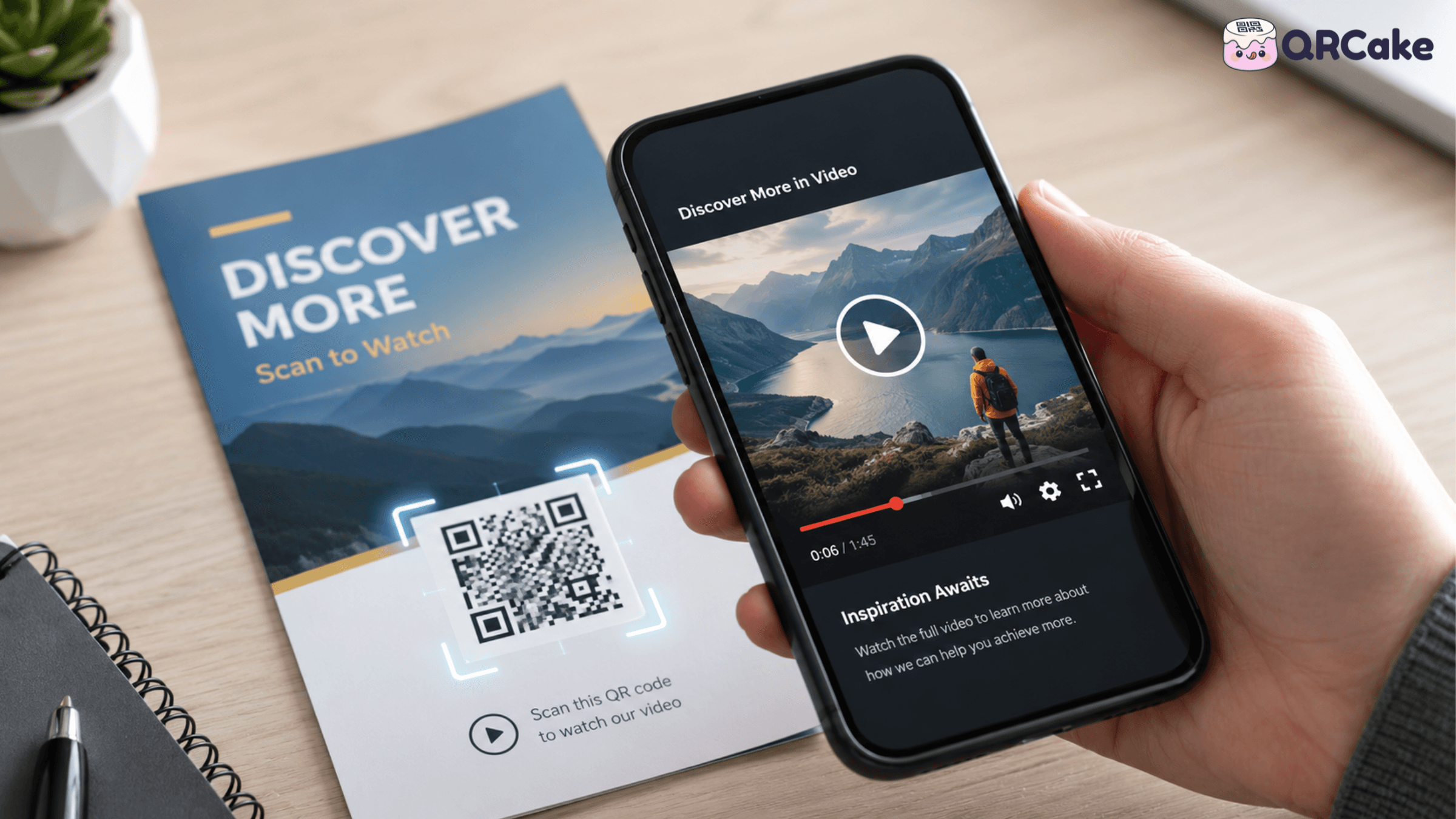
This guide covers when video QR codes are worth the print budget, where to host the video so it actually loads, the mobile-specific gotchas (autoplay, sound, captions), and the use cases where video genuinely outperforms a static destination. If you just want to get started, the free video QR code generator takes about a minute - upload a video or paste a YouTube link and download the code.
The 30-second version
Video QR codes work well when:
- The video is genuinely informative or persuasive - a product demo, a how-to, a chef's introduction.
- The destination loads in under 3 seconds on 4G - anything slower and users abandon.
- The video plays muted by default with captions visible - most scans happen in public.
- The video is under 90 seconds - preferably under 45 seconds.
- The QR placement gives the user time to engage - table standees, packaging in the hand, queue signage.
They fail when:
- The video loads on a Vimeo or YouTube wall that requires tapping to play, with ads, with cookie banners.
- The video has autoplay sound that embarrasses the user in public.
- The video is over 3 minutes and the user gives up before getting value.
- The user is in a moving context (driving past a billboard, scrolling past a poster) where they don't have time to watch.
Best use cases for video QR codes
The categories where video QR codes consistently outperform other destinations:
1. Restaurant menus with video.
A QR code on a table standee linking to a 30-second video of the chef explaining the day's special, or a chef-eye-view of a signature dish being plated. Increases order rates on the featured dishes substantially when executed well.
2. Product packaging.
A 45-second video showing how to use the product, how to set it up, or how it's made. For complex products (electronics, supplements with specific dosing, beauty products with multi-step routines), this reduces returns and customer service inquiries.
3. Real estate virtual tours.
A short walkthrough video on a For Sale sign or open-house brochure. Buyers self-qualify before contacting the agent.
4. Event invitations and ticket promotion.
A 30-second highlight reel from previous events, accessible via QR on the promotional poster. Converts curiosity into ticket sales.
5. Trade show booth demos.
A 60-second product demo on the booth signage. Captures interest from booth visitors who don't have time for a full conversation with the sales team.
6. Wine, spirits, and food storytelling.
A short producer story video on the bottle label or shelf strip. Strong for premium and artisan brands where the story is part of the perceived value.
7. Construction site or product hoardings.
A "what's coming here" video on developer hoardings. Captures local interest during the construction phase.
8. Concert and festival merchandise.
A QR code on a t-shirt or programme linking to a behind-the-scenes video or exclusive content. Builds the post-event connection.
9. Real estate property videos.
For higher-value listings, a 2-3 minute video walkthrough accessible from the For Sale sign or brochure can dramatically improve qualified-buyer ratios.
10. Setup, assembly, and installation guides.
For products that customers buy and then have to assemble (furniture, electronics, appliances), a QR code on the assembly insert linking to a video walkthrough reduces frustration and support costs.
Where to host the video
This is the single most important technical decision. The wrong host will sabotage every other thing you do right.
Best option: a self-hosted MP4 on your own domain or CDN.
Host the video file on your server, embed it on a clean page on your site, point the QR at that page. Pros: branded, no third-party ads, no cookie banners, no platform interstitials, full control over the player and autoplay behaviour.
Cons: requires technical setup, and you pay for bandwidth.
This is the right answer for most business-critical video QR codes.
Good option: YouTube unlisted with custom thumbnail.
Upload to YouTube as "unlisted" (not public, not searchable, accessible only via direct link). Point the QR at the YouTube URL.
Pros: free hosting, reliable infrastructure, good mobile player, YouTube handles the encoding/compression for various network speeds.
Cons: YouTube's interface adds friction - recommended videos, ads on some accounts, cookie banners, "open in app" prompts. The viewer's experience isn't yours.
Acceptable for less-critical use cases or when you don't have your own hosting set up.
Acceptable: Vimeo.
Vimeo is YouTube without the ads and with a cleaner interface. Paid plans give you a customisable player, no Vimeo branding, and embed options.
Pros: cleaner experience than YouTube, professional perception.
Cons: paid for serious use, and Vimeo URLs are less universal than YouTube.
Risky: Instagram or TikTok video URLs.
Linking a QR to an Instagram reel or TikTok video is technically possible but generally a bad idea. The platforms aggressively push users to open their apps, which fails on devices without the app installed. The experience varies dramatically by platform configuration.
Worst: video files on Google Drive or Dropbox.
Same problems as PDF hosting on these platforms (slow, blocked by corporate firewalls, often force-download), with the additional issue that video files are larger and load even more slowly.
The autoplay, sound, and captions problem
Mobile browsers have strict rules about autoplay videos that catch out most first-time video QR implementers.
The rules:
- Videos with sound cannot autoplay without a user tap. Browsers block this universally.
- Videos without sound can sometimes autoplay - but only on certain platforms and with the muted attribute set.
- Once the user taps anywhere on the page, the browser permits sound to play.
The practical implications:
- If your video has sound, accept that users have to tap to start it. Design the landing page so the tap is obvious.
- For autoplay impressions, mute the video and make captions visible. The user sees motion immediately, reads captions, and taps to unmute if interested.
- Always add captions even if the video isn't muted. Many scans happen in public - restaurants, transit, offices - where users won't unmute. Without captions, the video is meaningless to them.
The playsinline attribute is critical on iOS - without it, iPhones force the video to play in fullscreen mode, which feels jarring and breaks the page layout.
Video length and content design
Video QR codes are scanned in specific moments. The user has chosen to engage; they want value quickly. Length matters.
Optimum lengths by context:
- Restaurant menu featured dish video: 15-30 seconds.
- Packaging product demo: 30-60 seconds.
- Real estate property tour: 60-180 seconds (this is the exception - viewers expect longer for high-value purchases).
- Trade show demo: 60 seconds.
- Setup/assembly walkthrough: as long as needed, but with clear chapter markers or timestamps so users can skip.
Content design rules:
- First 5 seconds matter most. Hook attention immediately. Don't open with a logo intro.
- Show the thing, don't talk about the thing. A chef plating a dish beats a chef talking about the dish.
- Captions on by default. Always.
- A clear next step at the end. "Order this dish at your table now," "Buy this product at our website," "Book a viewing." The video should drive an action.
- Vertical or square aspect ratio for short videos - fits mobile screens better than landscape.
File size and mobile performance
A video QR code only works if the video starts playing within 3 seconds. On 4G mobile networks, that means tight file size management.
Targets:
- Under 5 MB for 30-second videos.
- Under 15 MB for 60-second videos.
- Under 25 MB for 90-second videos.
These are aggressive but achievable. H.264 encoding at 720p with a sensible bitrate (around 1.5 Mbps for 720p) hits these targets for most content.
For YouTube and Vimeo: they handle compression automatically; you upload a high-quality source and they serve appropriate quality based on the viewer's network speed.
For self-hosted video: export at multiple resolutions and let the page deliver the right one. Modern HTML5 source tags or HLS streaming handle this.
If video files load too slowly to be usable on mobile data (which is when most scans happen), no design choice can save the experience.
Static vs dynamic QR codes for video
Always use dynamic codes for video QR.
The reasons:
- You'll want to update the video. Better takes, different versions, seasonal content. Dynamic codes let you change the destination without touching printed assets. With a QR Cake dynamic code on a real-estate sign or restaurant standee, you can swap the linked video - say, from "property walkthrough" to "new chef's specials" - without replacing a single printed sign.
- You'll want analytics. Scan counts, geographic distribution, device split - useful for understanding where your video QR campaigns work.
- You may move hosting. What's on YouTube today may move to your own infrastructure later. Dynamic codes let the printed code stay valid through hosting changes.
For marketers building their video assets in Canva, QR Cake's official Canva app lets you drop a live dynamic code into a poster, flyer, or social asset without leaving the editor - the printed pattern stays fixed while you swap out the video destination as your campaign evolves.
The exception is one-time event content where you'll genuinely never update - a wedding photo gallery, for example. Even then, dynamic is safer.
Common video QR code mistakes
Mistake 1: Hosting on YouTube without an unlisted setting. Public videos appear in search results, related-video panels, and recommendations. Use unlisted for video QR destinations.
Mistake 2: No captions. Most scans happen in public; without captions, the video can't be consumed.
Mistake 3: Autoplay with sound. Either it's blocked by the browser, or it embarrasses the user in public. Either way, bad.
Mistake 4: Video too long. Anything over 90 seconds for marketing video drops off a cliff. Be ruthless.
Mistake 5: Slow loading. A 30 MB video on 4G takes too long. Compress.
Mistake 6: Forgetting the call-to-action. Users watch the video, then exit. Without a clear next step (buy, book, follow up), the engagement doesn't convert.
Mistake 7: Vertical scan moment, landscape video. Most QR scans happen on phones held vertically. A landscape video forces the user to rotate or watch a small letterboxed window.
Mistake 8: Static QR code linking to a YouTube URL that gets deleted. Dynamic codes survive this.
Mistake 9: Linking directly to a single Instagram or TikTok video. The platforms push app installs and may not play in the browser cleanly.
Mistake 10: No mobile testing. A video that loads instantly on desktop fibre often loads painfully slowly on mobile data. Always test in the conditions your audience will scan in.
Frequently asked questions
Can I put a video directly inside a QR code? No. QR codes can encode small amounts of data, mostly URLs. Videos are millions of times larger than what a QR code can hold. The video must be hosted somewhere; the QR links to it.
Should I host my video on YouTube or my own site? For business-critical or premium-brand video QR codes, host on your own site. For most general marketing use, YouTube unlisted is acceptable and easier.
How long should the video be? Under 90 seconds for most marketing use, 30-60 seconds is the sweet spot. Real estate and complex product demos can justify longer.
Will the video autoplay when someone scans? Only if it's muted. Browsers block autoplay of videos with sound until the user taps. For best engagement, mute autoplay with captions visible.
Do I need captions on my video? Yes, always. Most scans happen in public where users won't unmute. Without captions, your video is meaningless to most viewers.
Will the QR code break if my video gets deleted? If the URL stays the same (which is rare on YouTube unless you keep the exact same video), no. If the URL changes, a static QR code breaks. A dynamic QR code can be updated to point at the new video.
Can I track who watched my video via the QR code? You see scan analytics (count, geo, device) from your QR provider. Video-completion analytics require platform analytics (YouTube Studio, Vimeo Stats, or your own analytics tool on a self-hosted page).
Should I use 4K video for QR code destinations? No. 4K video is enormous to download on mobile. 720p is the sweet spot for QR code video destinations - looks good on phones, loads fast.
What's the best video format for QR-linked video? H.264 MP4 is the most compatible. It works on every modern phone and browser. H.265 (HEVC) is smaller but compatibility is poorer. Stick with H.264 unless you have a specific reason.
Will my video QR work in countries with slow mobile networks? Only if the file is small enough and the host is fast enough. Compress aggressively for international audiences, and consider hosting in regions close to your audience (Cloudflare and YouTube both handle this automatically).
Bottom line
Video QR codes are one of the strongest "scan to engage" tools when the basics are right: short video, captions on, host that doesn't sabotage you, dynamic code so you can update later. Use them where the user has time and motivation to watch - table standees, packaging, real estate, trade shows. Skip them where the user is moving or distracted.
Create a dynamic video QR code
Video to QR Code Generator - MP4, YouTube
Upload an MP4 or paste a YouTube link and get a QR code that plays the video on any phone. Free with unlimited scans, and you can change the video anytime.

About the QR Cake team
Written by the QR Cake team - the people building QR Cake, a dynamic QR code platform used for editable print campaigns, Canva QR codes, scan analytics, and long-lived QR redirects that keep working after subscriptions end.
Learn more about QR CakeFrequently asked questions
- Can I put a video directly inside a QR code?
- No. QR codes encode small amounts of data, mostly URLs. Videos are millions of times larger. The video must be hosted somewhere and the QR links to it.
- How long should the video be?
- Under 90 seconds for most marketing use, with 30-60 seconds being the sweet spot. Real estate and complex product demos can justify longer.
- Will the video autoplay when someone scans?
- Only if muted. Browsers block autoplay of videos with sound until the user taps. For best engagement, mute autoplay with captions visible.
- Do I need captions on my video?
- Yes, always. Most scans happen in public where users won't unmute. Without captions, the video is meaningless to most viewers.
- Should I host on YouTube or my own site?
- For business-critical or premium-brand QR codes, host on your own site. For most general marketing use, YouTube unlisted is acceptable and easier.
- What's the best video format for QR-linked video?
- H.264 MP4 is the most compatible. It works on every modern phone and browser. H.265 is smaller but compatibility is poorer.
Related Articles
Keep reading practical QR code guides, examples, and optimization tips.
QR Codes on Product Packaging: The 2026 Guide (Use Cases, Regulations, and Pitfalls)
Most major CPG brands now ship products with QR codes. The interesting question is no longer whether to use a code, but what for - and most teams underperform here.
15 QR Code Call-to-Action Examples That Increase Scans (2026)
An unlabelled QR code gets a fraction of the scans of a labelled one. The CTA next to the code is the highest-ROI editorial change you can make to any QR programme.
QR Codes for Real Estate: The Complete 2026 Guide for Agents and Brokers
Real estate is one of the highest-fit verticals for QR codes. Buyers approach a property at exactly the moment they're most curious - a well-placed code converts that into information access faster than any other channel.