QR Codes on Product Packaging: The 2026 Guide (Use Cases, Regulations, and Pitfalls)
Use QR codes on packaging the right way - engagement, regulatory compliance, anti-counterfeiting, and the mistakes that waste your print budget.
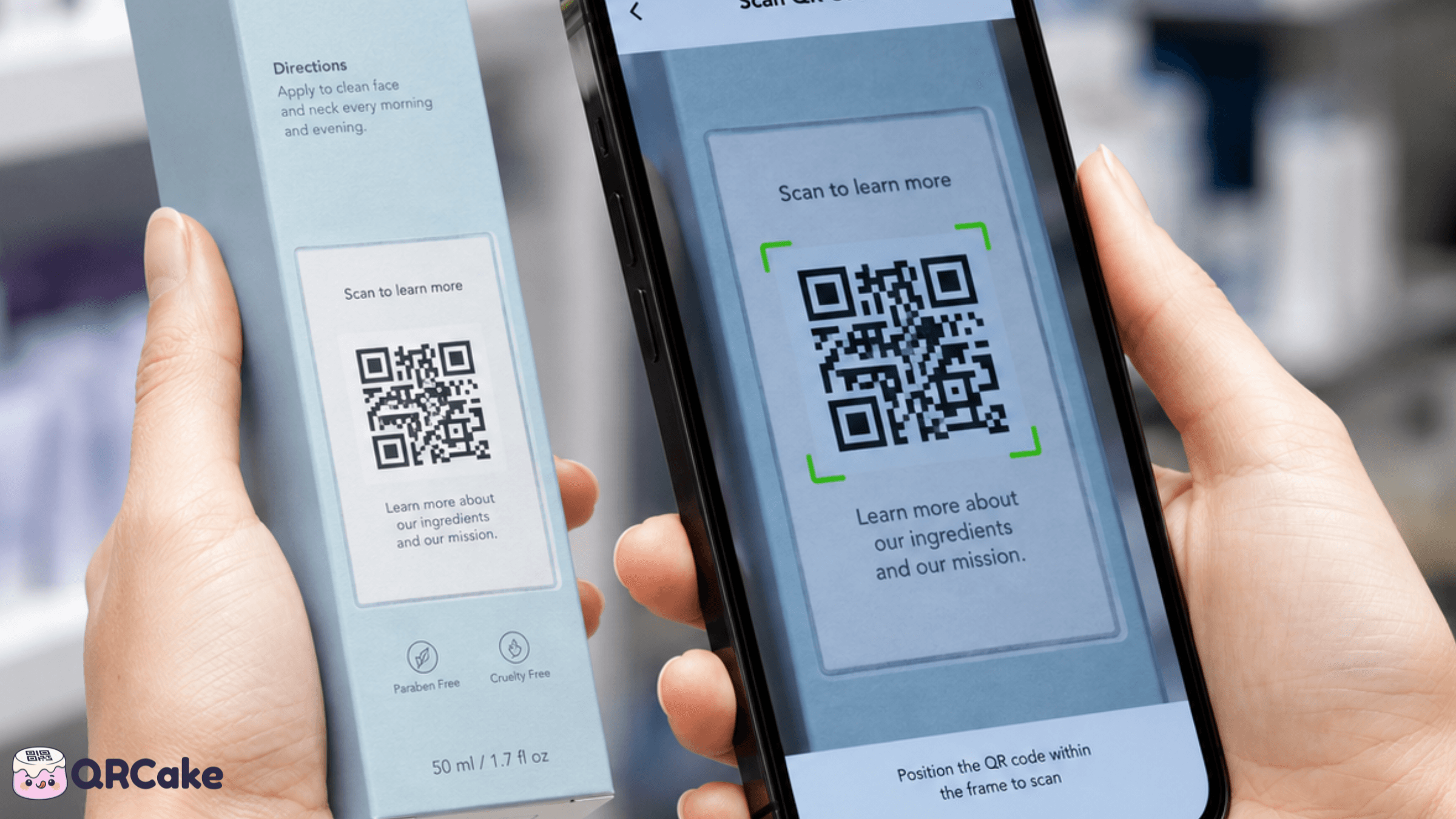
The interesting question is no longer whether to use a code. It's what for - and that's where most teams underperform. A QR code that links to the homepage is a wasted print budget. A QR code that links to a thoughtful post-purchase experience can be one of the most valuable square centimeters on the package.
This guide covers what packaging QR codes are actually good for, the regulatory landscape that's increasingly mandating them, the print and material considerations that determine whether they work, and the mistakes that kill scan rates.
The 30-second version
QR codes on packaging are valuable when they:
- Solve a real problem for the customer - allergens, recipes, recycling instructions, authenticity verification, refill subscriptions.
- Continue the brand conversation post-purchase - onboarding, product education, community signup.
- Capture data you can't get any other way - which retail channel the customer came from, what they do with the product over time.
They waste budget when they:
- Link to a homepage - irrelevant, generic, low engagement.
- Need a paid subscription to keep working - if you cancel, the printed packaging breaks.
- Are printed too small or on a curved/glossy surface - they look like a code, they just don't scan.
QR placement on packaging: which surface for which goal
Where you put the QR matters more than the design of the QR itself. Typical scan rates by package surface, with the most common mistake for each:
| Surface | Best used for | Typical scan rate | Most common mistake |
|---|---|---|---|
| Front of pack | Brand campaign, recipe, reviews | 3 to 8% | Code dominates the design |
| Back of pack | Ingredients, allergens, recycling | 5 to 12% | Code under 2 cm - too small to scan |
| Inside lid or closure | Onboarding, warranty, refill | 25 to 40% (highest) | Print register slips and the code drifts |
| Bottom of pack | Authenticity, regulatory | Under 2% | Customer never sees the bottom |
| Neck label / shrink wrap | Promotions, contests | 6 to 10% | Customer peels label before scanning |
| Side panel | Recipes, how-to videos | 4 to 8% | Sits next to barcode - confused for one |
Numbers above are working estimates pulled from cross-category packaging research and observed campaigns - your category may differ. The single biggest lift: move the code from the bottom or side to the inside lid. Customers see and engage with the inside of a package at a much higher rate than the outside.
What packaging QR codes are actually good for
The use cases that consistently earn their place on a package:
1. Allergen and ingredient deep-dives.
The food label has limited space for ingredient and allergen detail. A QR code can link to a complete list with batch-specific information, allergen-trace data, and certification details (organic, kosher, halal, vegan). For customers with dietary restrictions, this is genuinely useful - and for some food categories in the UK and EU, it's becoming regulatory expectation.
2. Recipes and product usage.
A bottle of olive oil with a QR code to "five recipes using this oil." A pack of specialty flour with a link to a baker's guide. A bottle of single-malt with a tasting note and serving recommendations. These extend the product's perceived value beyond the package and drive repeat purchase.
3. Recycling and end-of-life instructions.
Increasingly required by sustainability regulations in the EU and parts of the US. A QR code can link to a page explaining exactly how to recycle each component of the packaging - which parts go in the recyclables, which in compost, which in general waste. France's Triman labeling system and the EU's Packaging and Packaging Waste Regulation both push toward this model.
4. Authenticity and anti-counterfeiting.
Each unit gets a unique QR code (printed via variable-data printing or laser etching) linking to a verification page. Customers can scan to confirm the product is genuine. Particularly important for premium spirits, cosmetics, pharmaceuticals, and luxury goods - all categories with significant counterfeit problems.
5. Product registration and warranty.
Skip the paper warranty card. The customer scans, fills in a short form, and the warranty is registered. The brand gets the customer's email address and purchase data without paying for a lead-gen funnel.
6. Refill and reorder subscriptions.
For products customers refill regularly (coffee, supplements, cleaning products, pet food), a QR code to "subscribe for refills" or "reorder this exact item" converts at unusually high rates because the customer is already holding the empty package.
7. Care, maintenance, and troubleshooting.
For products that need ongoing user knowledge (appliances, tools, electronics, garments with specific care needs), a QR code to a setup video or troubleshooting page reduces support costs and improves product satisfaction. This is one of the highest-ROI uses on the list because it directly reduces customer service workload.
8. Loyalty and rewards.
Scan the code to earn points, unlock a discount, or access exclusive content. Works particularly well for FMCG brands with high repeat-purchase rates.
9. Storytelling and brand connection.
A short video from the founder. A piece on where the ingredients come from. The artisans who made the product. For premium brands, this isn't fluff - it's the perceived value the customer paid for.
The regulatory landscape
QR codes on packaging are increasingly mandated, not just encouraged. The major drivers as of 2026:
EU Packaging and Packaging Waste Regulation (PPWR). Requires digital information on packaging components and recycling instructions across all categories. Effective dates vary by category, but the direction is unambiguous - every package will need some form of digital information point, and QR codes are the standard implementation.
EU Food Information Regulation. Allergen and ingredient detail is required, with QR codes increasingly used to extend printed labels for complete information.
FDA UDI (Unique Device Identification). Medical devices in the US require unique identifiers that include both barcode and human-readable elements, with QR codes commonly used to link to manufacturer information and instructions for use.
FSMA 204 Traceability (US). Certain high-risk food categories require lot-level traceability, and QR codes are a common implementation for connecting physical packages to digital traceability records.
California / state-level food labeling. Various US states have passed or are considering laws requiring QR-coded access to ingredient sourcing, processing, or labour data.
Pharmaceutical serialization. Most major markets now require unique-unit serialization on pharmaceutical packaging. QR codes (often as DataMatrix codes, a close cousin) are the standard.
The practical implication: if you're shipping packaged products, particularly food, beverages, cosmetics, supplements, medical devices, or pharmaceuticals, factor regulatory QR requirements into your packaging redesign cycle. The codes are coming whether you adopt them voluntarily or not.
Print and material considerations
This is where packaging QR codes most often fail in practice. The same code that scans perfectly on a flat business card can fail repeatedly on packaging.
Flat panels work best. Side panels, back panels, and the bottom of boxes all work well. Print the QR code there.
Curved surfaces are hostile to QR. Drink cans, water bottles, cylindrical containers - the curve distorts the code in the camera's view, especially when the code wraps significantly around the curve. The fix is to use a flat label section on the package, even if that requires design changes.
Glossy surfaces reflect. Lacquered packaging, foil stamping, glossy plastic film - all reflect overhead store lighting directly into the camera. The fix is to use matte or satin finish for the QR code area, even if the rest of the package is glossy.
Shrink-wrap distorts. Codes printed directly on the product and then covered with shrink-wrap often scan poorly because the wrap creates folds and refractions over the code. Print on the package itself, then apply the wrap with a cut-out window if necessary - or just put the code in a location the wrap doesn't cover.
Folds break codes. A QR code printed across a fold (the corner of a carton, the hinge of a clamshell) often won't scan even after the package is opened. Print codes on uninterrupted flat panels.
Embossing and debossing. Some premium packaging includes embossed or debossed elements. Don't emboss or deboss the QR code itself - the shadow lines confuse the camera. The code needs to be flat-printed even if the surrounding design is textured.
Print quality matters. Codes printed at low resolution (under 300 DPI) have blurry module edges that break scans. For packaging, always insist on 300 DPI minimum, vector-source files (SVG or EPS), and a sample run scan-tested before approving the production run.
The "where on the package" question
Beyond surface type, where on the package matters.
Best placements:
- Side panel near the existing barcode. Customers' eyes already go here for the price-and-barcode area. The QR feels like a natural addition.
- Back panel. Lots of available space, customers turn the package over anyway for ingredient info.
- Inside the lid or under the cap. For products the customer unpacks. Creates a post-purchase engagement moment when the package is opened.
- The base of the package (for items displayed top-down on a shelf).
Worst placements:
- The front face. Competes with brand and product identity. Customers don't expect a QR code on the front and many don't notice it.
- Across a fold. As mentioned above, folds break codes.
- Under shrink-wrap that obscures the code. Defeats the purpose.
- Behind a label that has to be peeled off to access. Customers won't bother.
Tracking by SKU and batch
Dynamic QR codes give you a major advantage for packaging: per-SKU and per-batch tracking.
Per-SKU codes. A different code on each product line (your chocolate bar variants, your shampoo SKUs, your wine vintages). Each links to product-specific content and each tracks separately. You see which SKUs drive engagement and which are ignored.
Per-batch codes. Variable-data printing lets you generate a different code on every package (or every box). Useful for traceability, anti-counterfeiting, and very granular analytics. More expensive to print, but increasingly mandatory in regulated categories.
Per-region or per-language codes. Especially for international brands shipping to multiple markets - a different code on each market's packaging, each linking to the right-language content and tracking by region.
The infrastructure for managing thousands of codes per product is what separates enterprise QR platforms from smaller providers. For high-SKU-volume packaging programs, evaluate platforms specifically for bulk-code management, custom domains, and API access.
The sustainability angle
QR codes are reducing packaging printing by 10-30% in some categories - because information that used to require multiple paper inserts, multi-language labels, or large printed surfaces can now be linked to digitally.
Practical examples:
- A pharmaceutical insert that used to take a folded paper sheet now lives on a single web page linked via QR.
- A product manual that used to be a 24-page booklet is now a video tutorial.
- Multi-language packaging that used to include 12 translated versions of every claim can now link to a single page that detects the user's phone language.
This is a real argument for QR codes that has nothing to do with marketing - and it's increasingly part of regulatory conversations about packaging waste reduction.
The "what happens when I stop paying?" problem
This is the single biggest practical risk for packaging QR codes - and it's where the worst-case scenarios live.
Packaging is printed in volume, ships globally, and sits on shelves for months. If your QR provider disables the codes when you stop paying (most major paid providers do this), your entire production run becomes broken when a subscription lapses.
For a marketing campaign that ends cleanly, this is fine. For a 12-month packaging run sitting in retail distribution, this is catastrophic. Customers scan codes from products purchased months earlier and reach a 404 page.
Two ways to mitigate the risk:
- Use a provider whose codes keep working after cancellation. QR Cake's policy is that codes keep resolving to their last-saved destination indefinitely. This eliminates the risk almost entirely for the packaging use case.
- Use a custom domain. Set up qr.yourbrand.com as the redirect base on your QR provider's infrastructure. Your brand is on every pack, and the printed address stays yours: if the provider ever disappears, the redirects can be rebuilt on that domain without reprinting, though it takes technical work. Pointing the DNS at a new provider does not carry the codes over on its own.
Honestly: for packaging specifically, the longevity question matters more than feature depth. A simpler provider whose codes don't break is more valuable than a feature-rich provider whose codes might stop resolving in 18 months.
Common packaging QR code mistakes
Mistake 1: Linking to a homepage. Generic, irrelevant, low engagement. Link to a specific, scannable-context-appropriate destination.
Mistake 2: No clear call-to-action label. "Scan for recipes," "Scan to register your warranty," "Scan to verify authenticity" - labeled codes get far more scans than bare codes.
Mistake 3: Printing the code on a curved or glossy surface without testing. Always scan-test on production-material samples before approving the run.
Mistake 4: Forgetting to update the destination when the campaign ends. A QR code linking to "Spring 2025 promotion" is still active in 2026 if the destination isn't updated. Audit your packaging QR destinations quarterly.
Mistake 5: Static codes for multi-year packaging runs. Your URL structure will change in three years. A static code becomes dead the moment your site reorganises. Always use dynamic codes for packaging.
Mistake 6: One generic code for everything. Loses the analytics value. Use a different code per SKU at minimum.
Mistake 7: Skipping the test scan in real lighting. The supermarket aisle is more dimly lit than your office. Test the code in the lighting it'll actually live in.
Mistake 8: Code on a surface the customer can't reach. Inside a sealed pouch, on a panel hidden by another package element, etc.
Frequently asked questions
What's the minimum size for a QR code on packaging? 2.5 cm × 2.5 cm on a flat surface scanned from arm's length. For very small packaging (lipstick tubes, drink cans), consider whether the code is appropriate at all - if you can't fit 2 cm, you probably can't fit a working code.
Do I need a different QR code for each SKU? You don't have to, but you should. Per-SKU codes let you track which products drive engagement, and let you link to product-specific content. The marginal cost is essentially zero.
Can I put a QR code on a curved surface like a drink can? Yes, but expect lower scan rates. The curve distorts the code in the user's camera. Use a flat label section if your packaging design allows.
What's the best material to print a QR code on? Flat, matte, high-contrast surfaces work best. Avoid glossy coatings over the code, embossing, and surfaces that will fold or wrinkle.
Will the QR code expire if I stop paying my provider? With most paid providers, yes - and this is the biggest risk for packaging QR codes. Always use a provider whose codes survive cancellation. A custom domain adds a fallback, because the address stays yours, but on its own it does not let you switch providers without reprinting.
Are QR codes on packaging required by law? Increasingly, yes, in specific categories. EU PPWR (packaging waste), FDA UDI (medical devices), FSMA 204 (food traceability), and pharmaceutical serialization regulations all push toward QR-coded digital information. Check your industry's current rules.
Can I track how many people scan my packaging codes? Yes, with a dynamic QR provider. Scan count, geography, device, time, and unique-vs-total scans are all standard. Useful for understanding retail performance and channel effectiveness.
Will customers actually scan a QR code on packaging? Depends entirely on the value proposition. Codes labeled "Scan for recipes," "Scan to register your warranty," or "Scan to verify authenticity" get strong engagement. Unlabelled codes or codes with no clear value get scanned by very few customers.
How do I prevent counterfeiters from copying my QR code? Unique per-unit codes (variable-data printing) prevent simple copying, because a counterfeit using the same code will be detected when multiple "unique" scans cluster on one code. This is the basis of most anti-counterfeit QR programs.
Should the QR code match my brand colors? Use dark brand colors on light backgrounds for contrast. Avoid mid-tones, pastels, or color combinations that reduce contrast. A code that doesn't scan is worse than a code that doesn't match the palette.
Bottom line
QR codes on packaging earn their place when they solve a real customer problem or meet a real regulatory requirement. They waste budget when they're decorative or link to generic destinations. The biggest practical risk is provider dependency - pick a platform whose codes survive cancellation. QR Cake fits that criterion on its free tier, which is why it shows up frequently in packaging discussions: the dynamic code resolves indefinitely, even if you stop paying.
Create a dynamic QR code for your packaging
When a packaging QR is not the right call
Packaging QR is not free real estate. Five conditions where the code does not pay back the print and design cost:
- Highly curved or glossy surfaces. Round bottles, foil shrink-wrap, glossy varnish - all create glare or distortion that breaks scans. If you cannot guarantee a flat 2 cm² area with matte print, the code will fail in real lighting.
- Single-use, immediately-discarded packaging. Coffee cup sleeves, ketchup sachets, single-serve wrappers. The customer rarely lingers long enough to scan, and the package is in the bin before the scan moment.
- Regulated categories where the QR implies on-label claims. Pharma, infant formula, supplements - adding a QR can be read by regulators as an extension of the label. The legal review can cost more than the campaign.
- Commodities or bulk goods. Sugar, flour, salt, copy paper. Customers do not look at the package after purchase - the scan moment never comes.
- Markets with low scan-tried rates. Some demographics and regions still have under 20% lifetime scan-tried rates. If your primary market is one of them, paper inserts or web URLs printed in plain text often outperform.
The pattern: packaging QR rewards goods that the customer engages with after purchase, on surfaces the customer sees, in formats that print and scan reliably.
QR Codes for Packaging
Put a dynamic QR code on product packaging and change where it points after printing: how-to videos, ingredients, promos, or reorders. Free for up to 5 codes.

About the QR Cake team
Written by the QR Cake team - the people building QR Cake, a dynamic QR code platform used for editable print campaigns, Canva QR codes, scan analytics, and long-lived QR redirects that keep working after subscriptions end.
Learn more about QR CakeFrequently asked questions
- What's the minimum size for a QR code on packaging?
- 2.5 cm × 2.5 cm on a flat surface scanned from arm's length. For very small packaging, consider whether the code is appropriate at all - if you can't fit 2 cm, you probably can't fit a working code.
- Do I need a different QR code for each SKU?
- You don't have to, but you should. Per-SKU codes let you track which products drive engagement and link to product-specific content. The marginal cost is essentially zero.
- Will the QR code expire if I stop paying my provider?
- With most paid providers, yes - and this is the biggest risk for packaging QR codes. Always use a provider whose codes survive cancellation. A custom domain adds a fallback, because the address stays yours, but on its own it does not let you switch providers without reprinting.
- Are QR codes on packaging required by law?
- Increasingly, yes, in specific categories. EU PPWR, FDA UDI, FSMA 204, and pharmaceutical serialization regulations all push toward QR-coded digital information. Check your industry's current rules.
- Will customers actually scan a QR code on packaging?
- Depends entirely on the value proposition. Codes labeled with a clear benefit ('Scan for recipes', 'Scan to register your warranty') get strong engagement. Unlabelled or generic codes get few scans.
- Can I put a QR code on a curved surface like a drink can?
- Yes, but expect lower scan rates. The curve distorts the code in the camera. Use a flat label section if your packaging design allows.
Related Articles
Keep reading practical QR code guides, examples, and optimization tips.
How to Make a Video QR Code (Free, No App) - 2026 Guide
Video QR codes are one of the strongest QR use cases when done well - and one of the worst experiences on the internet when done badly. This guide covers when they're worth the print budget and how to make them actually load.
QR Code Analytics: The Complete Guide to What to Track and How to Use It (2026)
QR analytics tell you the scan happened; your destination-page analytics tell you what mattered. Wire them together and you have the full picture.
QR Code Size Guide for Print: The Definitive 2026 Reference
QR codes fail at small sizes more often than at any other failure mode. The fix is simple: print them big enough. This guide gives you the rules, the numbers, and the minimum sizes by use case.