PDF QR Code Guide: Hosting, Sizing, and the Mistakes to Avoid (2026)
The honest guide to PDF QR codes - when to use them, when to use HTML instead, where to host the file, and how to make scans actually load fast.
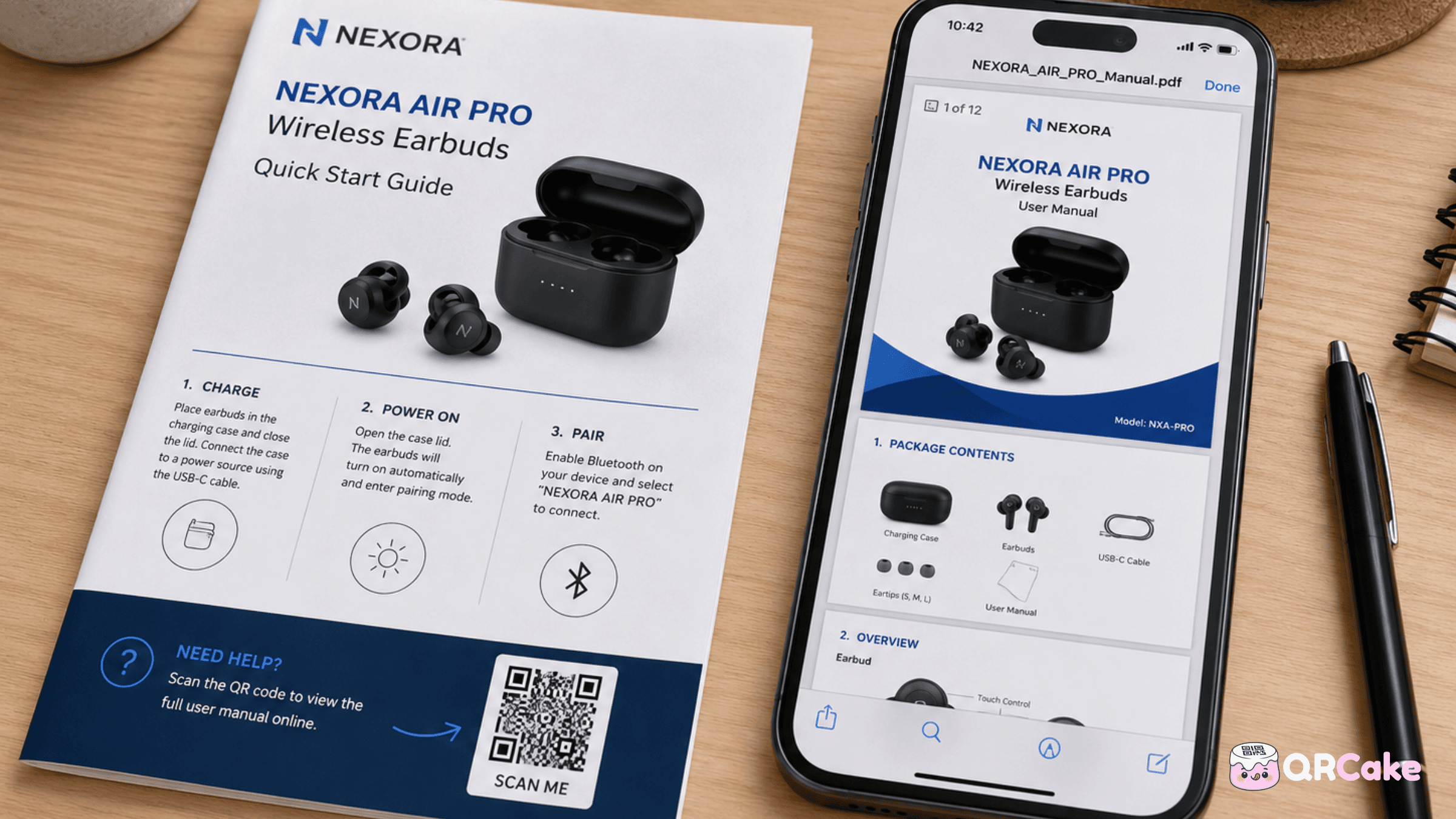
Used badly, they create some of the worst QR experiences on the internet - slow loads, broken links, force-downloads on phones that can't handle them, and PDFs that are unreadable on mobile.
This guide covers when to choose PDF over HTML, how to host the file so it actually loads, the design considerations that determine whether the experience is good or terrible, and the use cases where PDFs genuinely beat web pages.
The 30-second version
Use a PDF QR code when:
- The content has a fixed, important layout - formal documents, legal letters, certifications, signed forms.
- The user needs to keep the document offline - manuals, instructions, references they'll return to.
- The content is genuinely long-form - full white papers, multi-page guides, downloadable books.
- The source file is already a PDF and converting it would lose fidelity.
Use a web page instead when:
- Mobile readability matters - most marketing content.
- The content changes regularly - menus, prices, promotions.
- You want analytics on what users read - page scroll, time on page, click events.
- The content is short - a single page that could be a webpage.
If you're not sure, use HTML. Most PDF QR code use cases would be better served by a mobile-optimised web page.
Why PDF QR codes underperform their reputation
PDFs were designed for fixed-layout printing. They make a hard guarantee: this document will look exactly the same on every device, in every browser, on every operating system. This was revolutionary in 1993 when documents looked different in every word processor.
That guarantee is also why PDFs underperform on phones:
- Pinch-to-zoom is required. A document designed for A4 or US Letter doesn't reflow to fit a phone screen. The reader zooms in, scrolls right to read a line, zooms out to see the next paragraph. Compare this to a web page, which reflows automatically.
- Loading is slow. Even modest PDFs (1-3 MB) take noticeably longer to load on mobile networks than equivalent web pages.
- Mobile browsers handle PDFs inconsistently. Some display inline, some force a download, some open a separate viewer app. The user experience varies.
- Accessibility scoring drops. Screen readers handle HTML better than PDF. Visual users with low vision can resize HTML text but struggle to navigate PDF text.
This isn't a reason to never use PDF QR codes. It's a reason to use them only when the PDF format is genuinely justified.
When PDF QR codes are the right choice
The use cases where PDF beats HTML:
Product manuals and installation instructions. Users want to keep these. They print them. They reference them years later. PDF preserves the layout (often crucial for diagrams and parts lists) and works offline once downloaded.
Legal documents and contracts. Fixed layout, signed authenticity, formal expectations. PDFs meet these expectations; web pages don't.
Certifications and credentials. Course completion certificates, professional credentials, training records. Recipients want to print them or attach them to applications.
Restaurant menus where the printed design matters. A high-end restaurant whose printed menu uses a custom typeface and intricate layout often wants the digital version to match exactly. HTML can be made to look similar but rarely identical.
Lead magnets and white papers. When you're trading a downloadable document for an email address, the PDF format reinforces the "this is a real document, not just a blog post" perception.
Tax documents, financial statements, technical specifications. Anywhere fixed formatting matters legally or technically.
Multi-page guides and ebooks. Anything over 5-6 pages of content that the reader might want to keep.
For these use cases, PDF is genuinely the right tool. For everything else, an HTML page is almost certainly better.
Where to host the PDF
This is the single most important decision after deciding to use PDF at all. Your host determines whether the experience is fast or slow, reliable or fragile, and professional or shabby.
Best option: your own domain.
Host the PDF on your own server or content delivery network. The URL looks like yourbusiness.com/downloads/manual-2026.pdf. Branded, fast, and entirely under your control. No third-party dependency, no corporate-firewall blocking issues, no ads or interstitials.
This is the right answer for any business serious about its PDF QR codes.
Acceptable option: a CDN like Amazon S3 or Cloudflare R2.
Same effective result as hosting on your own domain but offloads the bandwidth to a CDN. The URL might be a non-branded CDN URL by default, but you can almost always map it to a subdomain like files.yourbusiness.com.
Risky option: Google Drive, Dropbox, OneDrive.
The PDF lives in your cloud-storage account, set to "Anyone with the link can view." The URL is ugly, and worse, several issues:
- Corporate firewalls often block these domains.
- The viewer experience is non-native - users see Google's PDF preview rather than the document directly.
- Some providers force a download rather than displaying inline.
- If you accidentally change sharing permissions, every printed QR code breaks immediately.
- The link can be revoked or change if the file is renamed.
Acceptable for personal use or one-off documents. Not appropriate for QR codes printed on packaging, business cards, or long-term marketing materials.
Mixed option: your QR provider's built-in PDF hosting.
Some QR generators offer to host the PDF for you and serve it from their domain. Historically this was a bad idea - if the provider's hosting goes down or you cancelled, every printed code stopped working. That's still true for most paid providers.
The exception is a small number of providers (QR Cake among them) that combine reliable PDF hosting with codes that keep resolving even after you cancel. For a non-technical user who doesn't have their own domain or CDN - a restaurant owner, an estate agent, a small clinic - the workflow becomes genuinely workable: upload the PDF once, get a dynamic QR code in about a minute, swap in a new PDF later without reprinting. If you do have your own domain and the engineering capacity to manage it, self-hosting is still the more bulletproof choice. If you don't, provider hosting from a longevity-friendly provider is a reasonable second best - just verify the provider's cancellation policy before committing printed assets to it.
File size and mobile performance
A PDF QR code only works if the PDF actually loads. On a 4G mobile network, the difference between a 500 KB PDF and a 5 MB PDF is the difference between a 2-second load and a 20-second load. Most users will abandon at 5-8 seconds.
The fix:
- Target under 2 MB. Achievable for most documents with proper PDF optimisation.
- Compress images. A typical PDF is 80% images by file size. Use JPG at 80-85% quality for photos, PNG only for screenshots and diagrams with text.
- Subset fonts. Embedding only the characters you use, rather than entire font families, can cut file size significantly.
- Skip the fancy effects. PDF transparency, gradients, and embedded multimedia all add weight. Use them only when the document genuinely needs them.
Tools that compress PDFs without destroying quality: Adobe Acrobat (Save As Optimised), ILovePDF, SmallPDF, or command-line tools like Ghostscript for technical users.
Test the file size on mobile after compression. A "small" PDF on broadband fibre can still be painfully slow on a phone using mobile data in a rural area.
Force-download vs inline display
By default, browsers may either display a PDF inline or force the user to download it. The behaviour depends on the server's HTTP headers, the browser, and the operating system.
Inline display is almost always the better user experience - the user scans, the PDF appears, they scroll through it without leaving the browser. Forced downloads create friction: the user has to navigate to their Downloads folder, open the file, return to whatever they were doing.
To control this, set the server's Content-Disposition header to inline for QR-linked PDFs. If you're using a CDN or your own server, this is configurable. If you're using Google Drive or Dropbox, you can't change it - they impose their own viewer experience.
The honest fix for "my PDF QR code feels broken on mobile": host the PDF on your own domain with Content-Disposition set to inline. This single change fixes the most common complaint.
Static vs dynamic for PDF QR codes
Static PDF QR codes encode the PDF's URL directly into the code pattern. The URL is permanent. Pros: no provider dependency. Cons: if the PDF moves or is updated to a new URL, the code breaks.
Dynamic PDF QR codes encode a short redirect URL pointing at the provider's server, which redirects to the actual PDF URL. Pros: editable destination, analytics, and you can replace the PDF without changing the code. Cons: depends on the provider's infrastructure continuing to work.
For PDFs that will change over time - annual reports, updated manuals, version-numbered documents - dynamic is essential. You can replace the destination PDF every year without touching the printed code.
For PDFs that will never change - a one-time event invitation, a frozen historical document - static is acceptable if you control the destination URL permanently.
The PDF-update workflow with dynamic codes:
- Generate a dynamic QR code pointing at the first version of the PDF. With a tool like QR Cake's PDF QR code type, you can upload the file directly and the code is generated against the hosted URL - no separate hosting setup required.
- Each year (or whenever the PDF is updated), upload the new version and update the QR code's destination.
- The printed QR code keeps working; the file it points at gets refreshed.
- Old printed copies of the code keep delivering customers to the current version of the document.
Designing the PDF for mobile reading
Even with all the hosting and sizing fixes, many PDFs are unreadable on phones because they were designed for paper.
Mobile-friendly PDF design principles:
- Use a portrait page orientation. Landscape PDFs are particularly awful on phones - they're either tiny or require rotating the phone.
- Larger type than print conventions. 11-12 point body text reads on paper. 14-16 point reads on phones. Pick the bigger size if the PDF will primarily be read digitally.
- One column where possible. Multi-column layouts require horizontal scrolling on phones.
- High contrast. Same principles as web design - black on white beats medium tones.
- Useful headings. Helps users navigate via PDF outlines on capable viewers.
- Skip the cover page. A glossy cover is wasted on a phone screen. Get to the content quickly.
If you control the PDF design from scratch, also consider designing two versions: a print-optimised one and a screen-optimised one. The QR code points at the screen version; print runs use the print version.
Common PDF QR code mistakes
Mistake 1: Hosting on Google Drive / Dropbox for business use. Fragile, slow on mobile, and corporate firewalls block it. Use your own domain.
Mistake 2: Forgetting to compress the PDF. Multi-MB files load painfully slow on mobile data.
Mistake 3: Static code for a frequently-updated document. Every annual update means reprinting everything. Use dynamic codes for anything you'll refresh.
Mistake 4: A4 or Letter PDF designed for print, scanned from a phone. Unreadable without pinching and panning. Either redesign for mobile or accept the limitation and convert to HTML instead.
Mistake 5: Force-download instead of inline display. Adds friction. Configure your server's Content-Disposition header.
Mistake 6: No fallback for users who can't view PDFs. A small fraction of users (older phones, some accessibility tools, some corporate-managed devices) struggle with PDFs. If the content matters, also offer an HTML version.
Mistake 7: PDF QR code for content that changes weekly. Restaurant menus, daily promotions, current pricing - all are better served by HTML pages. The fixed-layout argument doesn't apply.
Mistake 8: Provider that disables codes on cancellation. If your QR provider's policy is to stop redirecting after cancellation, you can't safely use them for PDF codes printed on long-life assets like packaging or business cards.
Frequently asked questions
What's the difference between a PDF QR code and a regular QR code? There's no technical difference - a QR code is a QR code. The "PDF QR code" label just means the destination URL points at a PDF file. The QR specification doesn't know or care what the destination is.
Can I attach a PDF directly to a QR code (rather than linking)? No, not at any practical size. QR codes can encode small amounts of data (up to a few thousand characters of text), but PDFs are typically thousands of times larger. The PDF must be hosted somewhere and the QR code links to it.
How big can a PDF be for a QR code? Technically unlimited - the QR only carries the URL, not the PDF. Practically, keep PDFs under 2 MB for good mobile load times. Larger files are abandoned by users on slower networks.
Will the QR code break if I update the PDF? Depends on whether the URL changes. If you keep the same URL and replace the file at that URL (which is possible on your own server), the QR keeps working. If the URL changes when you upload a new version (which is the case with Google Drive and Dropbox), the static QR breaks. Dynamic QR codes solve this - change the destination URL in the dashboard and the printed code now points at the new file.
Can I track who opens my PDF via the QR code? With a dynamic QR code, you see scan analytics (count, geo, device, time). Tracking what users do inside the PDF requires PDF-specific analytics tools - these exist but require additional setup.
Will my PDF QR code work on iPhone and Android? Both platforms can scan QR codes and open PDFs. The user experience varies - iPhones generally display PDFs more cleanly inline, while some Androids force a download to a different app. Test on both before publishing.
Should I add a password to the PDF? For sensitive PDFs (financial documents, internal materials), yes. For most marketing PDFs (white papers, brochures), no - passwords add friction that kills engagement.
Can I use a free QR generator for PDF codes? Yes. Most generators support URL-type QR codes, which is all you need for a PDF. The PDF is hosted separately. Choose a generator whose codes survive cancellation if the PDF QR will be printed on long-life assets.
What if my PDF is huge and can't be compressed further? Split it into smaller documents and link to a landing page that lists all parts. Or convert to HTML. A 30 MB PDF behind a QR code is essentially broken on mobile.
How long does a PDF QR code keep working? As long as: (1) the PDF stays at its URL, (2) your QR provider continues redirecting (for dynamic codes), and (3) the URL itself remains valid. With your own hosting and a longevity-friendly QR provider, decades.
Bottom line
PDF QR codes have a real role - for manuals, legal documents, white papers, lead magnets, and anywhere fixed layout matters. They work well when the PDF is small, mobile-friendly, hosted on a reliable domain, and accessed via a dynamic QR that can be updated.
They fail when the PDF is big, designed only for print, hosted on Google Drive, encoded into a static code, and never tested on mobile.
For everything that doesn't genuinely need PDF format, use an HTML page instead. It loads faster, reads better on mobile, accepts analytics, and updates without re-uploading.
Generate a free dynamic QR code for your PDF
PDF to QR Code Generator
Convert a PDF to a QR code that opens on any phone, with no app or login needed. Swap in a new file anytime without reprinting the code. Free for up to 5 codes.

About the QR Cake team
Written by the QR Cake team - the people building QR Cake, a dynamic QR code platform used for editable print campaigns, Canva QR codes, scan analytics, and long-lived QR redirects that keep working after subscriptions end.
Learn more about QR CakeFrequently asked questions
- Can I attach a PDF directly to a QR code?
- No, not at any practical size. QR codes encode small amounts of data - typically a URL. The PDF must be hosted separately and the QR code links to it.
- How big can a PDF be for a QR code?
- Technically unlimited - the QR only carries the URL. Practically, keep PDFs under 2 MB for good mobile load times. Larger files are abandoned by users on slower networks.
- Will the QR code break if I update the PDF?
- If you keep the same URL and replace the file at that URL, the QR keeps working. If the URL changes (as with Google Drive and Dropbox), a static QR breaks. Dynamic QR codes solve this by letting you change the destination URL in the dashboard.
- Will my PDF QR code work on iPhone and Android?
- Both platforms scan QR codes and open PDFs. iPhones generally display PDFs cleanly inline; some Androids force a download to a different app. Test on both before publishing.
- Can I track who opens my PDF via the QR code?
- With a dynamic QR code, you see scan analytics like count, geo, device, and time. Tracking what users do inside the PDF requires PDF-specific analytics tools and additional setup.
- Should I host my PDF on Google Drive?
- Only for personal use or one-off documents. For business QR codes, host on your own domain - corporate firewalls often block Google Drive URLs, the viewer is non-native, and the link is fragile.
Related Articles
Keep reading practical QR code guides, examples, and optimization tips.
File QR Code vs PDF QR Code: Which One Should You Use?
These two formats sound similar, but they create different post-scan experiences, especially on mobile.
QR Code Size Guide for Print: The Definitive 2026 Reference
QR codes fail at small sizes more often than at any other failure mode. The fix is simple: print them big enough. This guide gives you the rules, the numbers, and the minimum sizes by use case.
Why Your QR Code Isn't Scanning (And How to Fix It): The Complete Troubleshooting Guide
QR codes fail for a small number of well-understood reasons. Walk through this guide top to bottom and you'll fix 95% of scan problems within five minutes.