How to Create a QR Code for a Restaurant Menu (Complete 2026 Guide)
The complete restaurant QR menu setup: hosting your menu, generating a code that won't expire, designing for scans, and what to do about accessibility.
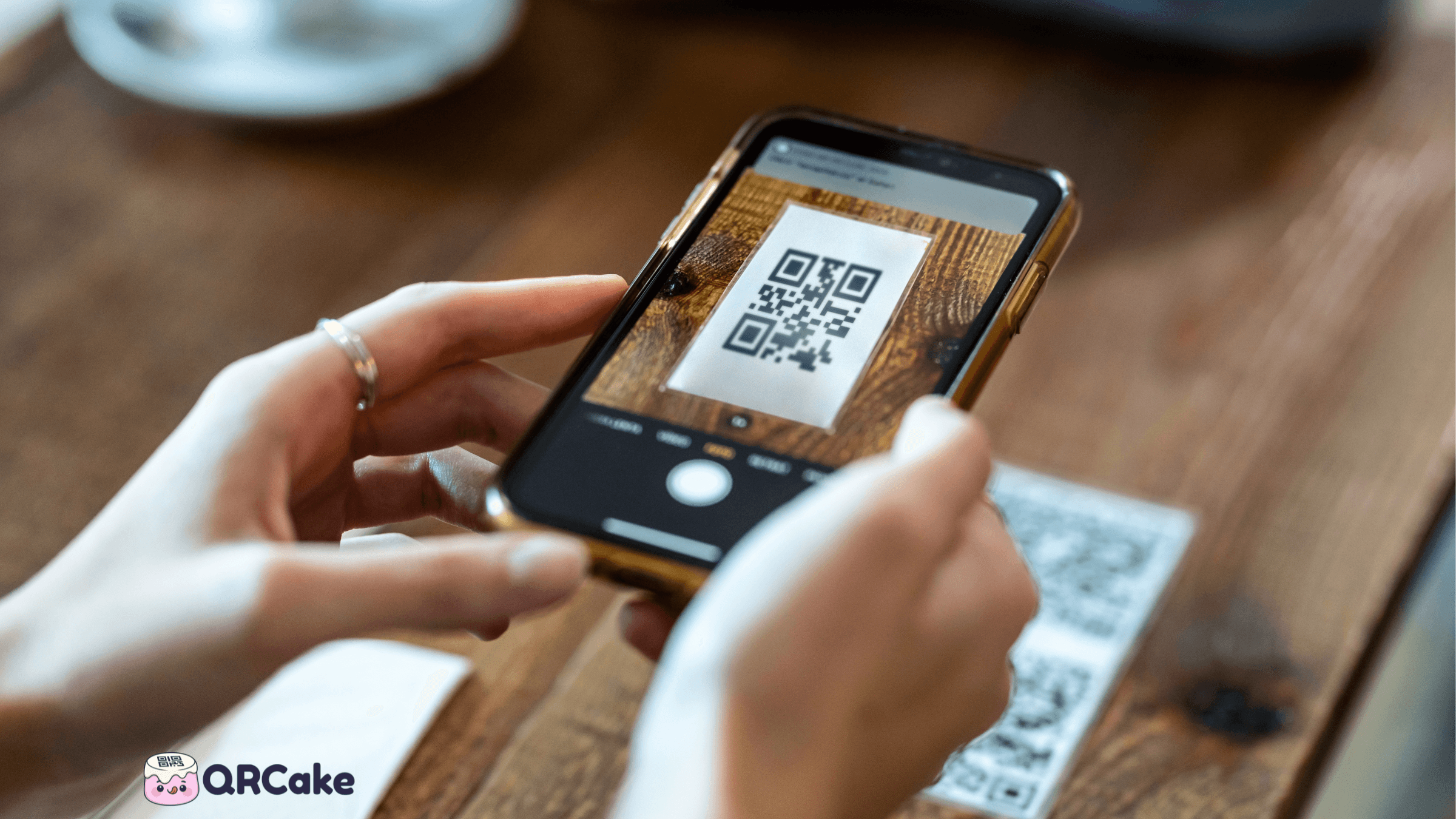
The reasons are simple. Updating a paper menu costs £150 - £800 per reprint. Updating a digital menu costs the time it takes to edit a Google Doc. Tracking which dishes get attention is impossible on paper. And new staff hires can stop memorising specials when the QR code carries the daily updates.
The pushback is also real. Older diners struggle with QR menus. Accessibility regulations in several jurisdictions now require paper alternatives. And a badly-built QR menu (PDF that won't load, code at the wrong size, kitchen that changes the URL without warning) is worse than no QR menu at all.
This guide covers the whole job - from hosting your menu to printing the standees, with a section on accessibility and one on the surprisingly useful data you can pull out of restaurant QR codes.
The 30-second version
If you already know what you're doing:
- Host your menu somewhere stable - a page on your website, a Google Doc set to public, or a PDF on your server.
- Generate a dynamic QR code (not a static one) that points at that URL.
- Design the code for scanability: minimum 2.5cm × 2.5cm printed, high contrast, with a "Scan to see menu" label next to it.
- Print and place the codes - table standees, menu inserts, window stickers, and a backup poster at the entrance.
- Keep paper menus available on request for accessibility.
- Update the menu by editing the underlying page, not by reprinting codes.
If any of those steps need expanding, the rest of this guide does that.
Hosting your menu: web page vs Google Doc vs PDF
The three most common ways to host a restaurant QR menu, compared on what actually matters week-to-week:
| What matters | Web page | Google Doc | |
|---|---|---|---|
| Time to update | Edit and publish | Edit (auto-syncs) | Re-export and re-upload |
| Mobile experience | Best (responsive) | Good | OK (loads slow) |
| Edited by non-technical staff | Needs CMS | Included | Needs PDF editor |
| Search-engine indexable | Included | Not included | Limited |
| Allergen filter / search bar | Possible | Not possible | Not possible |
| Loads fast on cellular | Included | Included | Slow for large PDFs |
| Accessibility for screen readers | Best (semantic HTML) | Good | Only if tagged |
| Total cost | Hosting fee | Free | Free if using dynamic QR |
The short version: a real web page wins on every dimension except staff editability. A Google Doc set to public is the best free path for venues without a CMS. PDFs work but are the slowest option for the diner - only use them if the menu has heavy design or regulatory typesetting.
Step 1: Host your menu somewhere stable
The QR code is the easy part. The decision that determines whether your QR menu is good or bad is where you host the underlying menu file.
You have three sensible options, in increasing order of effort and quality:
Option A: Google Doc (or any free document host)
Quickest path. Make your menu in Google Docs, change sharing to "Anyone with the link can view," copy the URL, point your QR code at it. The advantage is that any front-of-house manager can update the menu in 30 seconds without involving a developer.
The downsides: Google Docs aren't optimised for mobile, they sometimes load slowly, and the URL is ugly - if you ever switch QR providers or want to brand the URL, you'll have to regenerate codes. Use this if you're piloting QR menus and don't want to invest yet.
Option B: A dedicated menu page on your website
This is the right answer for almost every restaurant. Build a /menu page on your existing site, optimise it for mobile (large text, clear sections, fast loading), and point your dynamic QR code at it.
The page should:
- Load in under 2 seconds on mobile 4G.
- Use real HTML text, not images of menu pages (images don't scale, can't be zoomed legibly, and are unreadable to screen readers).
- Include allergen and dietary tags inline with each dish.
- Have prominent section headings (Starters, Mains, etc.) that mobile users can navigate by scrolling.
- Skip auto-playing background videos and large hero images. Diners want the menu, not your brand story.
If your existing website is built on WordPress, Squarespace, Wix, or Shopify, this is a 1-2 hour job for whoever already maintains the site.
Option C: PDF on your own server
Some restaurants insist on PDFs because their menu designer works in InDesign. This works, but with caveats. PDFs load slowly on mobile, pinch-zoom is required to read text, and accessibility scoring drops significantly compared to HTML.
If you must use a PDF, host it on your own domain (not Dropbox or Google Drive - those URLs are fragile and sometimes blocked by corporate networks), keep file size under 2MB, and make sure it's set to open in the browser rather than forcing a download.
If you don't have your own server to host the file, QR Cake can host the PDF for you and give you a dynamic code in about a minute - useful for restaurants that update menus seasonally without wanting to manage their own file hosting. Swapping in next season's PDF takes seconds; the printed standees keep working.
Step 2: Generate a dynamic QR code
Use a dynamic code, not a static one. This is non-negotiable for restaurants.
The reason: if you use a static code, your menu URL is permanently encoded in the code itself. Move your menu page, change your hosting, or fix a typo in the URL, and every printed standee is now broken. With a dynamic code, you change the destination in your QR provider's dashboard and every printed standee in your restaurant now points to the new URL - no reprinting.
To generate a dynamic QR code for your menu:
- Go to a dynamic QR code generator. (We make QR Cake; other options exist.)
- Create an account (most providers offer a free tier for one or two dynamic codes - enough to get started).
- Choose "URL" or "Website" as the code type.
- Paste the URL of your menu page from Step 1.
- Give the code a label (e.g., "Main menu - Spring 2026") so you can find it later.
- Save the code and download the resulting PNG or SVG.
Use SVG if you have it - it scales to any size without quality loss, which matters when your printer wants the code at one size for stickers and another size for posters.
A small but important note on cancellations: some popular QR providers disable your dynamic codes the moment you cancel or downgrade. This is a particularly bad failure mode for restaurants, where a billing oversight on a Friday afternoon can break every table standee in the restaurant by Saturday lunch. Pick a provider that keeps codes working after cancellation. (QR Cake does; many of the bigger names don't. Always check the terms.)
Step 3: Design the code so it actually scans
Three things determine whether a QR code scans reliably in restaurant lighting: size, contrast, and label.
Size. Print the code at a minimum of 2.5cm × 2.5cm (about 1 inch) for tableside scanning at arm's length. Bump to 4-5cm for window or door stickers people scan from a step or two back, and 8-10cm for posters scanned from across the room. Smaller than 2.5cm and you'll lose 10-20% of scans in low light, which is exactly the light you have in most restaurants.
Contrast. Black on white scans most reliably. Dark navy on cream works. Mid-tones on mid-tones do not - even though your design comp looks beautiful in good office lighting. Test the actual printed code in actual restaurant lighting before you commit to a colour scheme. If you want a coloured code for branding, use a dark colour (deep navy, forest green, burgundy) on a light background, never the reverse.
Label. Next to or under every QR code, put a short call to action. "Scan to view menu," "Tap your phone here to see drinks," or in a wine bar, "Wine list" works. A code without a label gets a fraction of the scans of a labelled one. This costs nothing and improves scan rate dramatically.
You can also add your restaurant logo into the centre of the QR code - most modern generators support this. Keep the logo under 25% of the total code area or you'll start hitting scanability problems.
Step 4: Print and place the codes
The single best place for a QR menu code is a small, weighted standee on each table - eye level when seated, hard to knock over, easy to scan one-handed. Bonus if the standee includes WiFi password on one side and the QR code on the other.
Other useful placements:
- Menu inserts. A printed mini-menu (drinks, specials) with the QR code for the full menu on the back.
- Front door / entry window. A larger code visible from outside, for diners deciding whether to come in.
- Bar. Smaller standees for bar seats.
- Outdoor terrace. Weatherproof codes laminated or printed on acrylic.
- Bathroom doors (inside). Surprisingly effective - captive audience, often used for survey QR codes rather than menu, but worth mentioning.
- Receipts. Some POS systems can print a QR linking to a feedback form or loyalty signup.
Avoid: putting the QR code on the chair or bench (people sit on it, scuff it), under glass that creates glare, or in places where the light source is directly behind the code.
Step 5: Test before going live
This is the step most restaurants skip and regret.
Before printing 60 table standees, run this 10-minute test:
- Print one code at the actual size you plan to use.
- Scan it with an iPhone (Camera app).
- Scan it with an Android phone (Camera app, Google Lens, and one third-party scanner).
- Scan it from arm's length, from across the table, and from a sitting-down angle.
- Walk to the dimmest corner of the dining room and scan from there.
- Open the destination page on each phone and confirm the menu loads in under 3 seconds.
- Try the destination page in airplane mode after first load (some menu pages cache, some don't - useful to know for low-signal areas).
If any step fails, fix the contrast or sizing problem before you print at volume. Catching it on one code costs nothing. Catching it after you've printed 60 standees costs £400 and a Saturday.
Updating your menu without reprinting
This is the part dynamic codes earn their keep on. You change your menu by editing the underlying page, not by touching the codes.
A typical workflow:
- Monday morning: Chef sends the new specials list to whoever manages the menu page.
- Monday lunchtime: That person updates the menu page (10 minutes for a small change, an hour for a full menu refresh).
- Monday lunchtime + 1 minute: Every diner scanning a code from now on sees the new menu.
You never touch the QR code itself. It hasn't changed. It still points at yoursite.com/menu. What's behind that URL has changed.
This same principle applies to bigger changes: seasonal menus, new locations, new openings hours, even temporarily flagging a 86'd dish at 8pm Saturday night.
What restaurant QR analytics actually tell you
Dynamic QR codes show you scan data. What restaurant QR analytics tell you:
- Total daily scans. A proxy for menu engagement. Sharp drops can flag a broken code or a faded standee.
- Time-of-day distribution. Confirms (or refutes) what you think your peak hours are. Useful for staffing.
- Day-of-week patterns. Tuesday-night specials underperforming? You'll see it in the scan count.
- Device split. If 90% of scans are iPhones, your menu page needs to look perfect on iOS. If it's a 50/50 split, test Android equally.
- First scan vs repeat scan. Most QR platforms distinguish unique scans (new sessions) from total scans (returning views). For a restaurant, the unique-scan count roughly tracks covers.
If you place separate codes on each table (some restaurants do), you can also see which tables drive the most engagement - useful for understanding which seats are most-used and which need promotion (the dim corner table that nobody picks first).
A few advanced tactics:
- Two codes, two destinations. A code on the food menu pointing to /menu/food and a code on the drinks menu pointing to /menu/drinks. Now you can see whether diners look at drinks more before or after ordering food.
- Table-specific feedback codes. Generate a separate dynamic code for each table that lands on the same review/feedback page with a tracking parameter. Now you can see complaints clustered by table.
Accessibility: the part most QR-menu articles skip
QR codes are not universally accessible. The diners who struggle most:
- Older diners without smartphones, or with smartphones but poor near vision.
- Diners with motor impairments who can't comfortably hold a phone at arm's length.
- Diners with broken phones, dead batteries, or no data plan - far more common than QR generators admit.
- Diners with low vision who can't read on-screen menu text without significant zoom.
The right response is not "tough luck." The right response is:
- Keep paper menus available on request. Stock 6-10 at the host stand. It costs almost nothing.
- Train staff to offer paper without making it a thing. "Would you prefer a paper menu?" is faster and friendlier than waiting for diners to ask.
- Make sure your digital menu is screen-reader compatible. This means real HTML text, proper heading structure, alt text on dish photos, and good contrast.
- Don't gate the menu behind a download, popup, or login. If a diner has to install something or sign up to see what you serve, you've failed.
- In some jurisdictions (parts of the EU, increasingly the US), accessibility regulations may explicitly require paper alternatives in certain food-service contexts. Check your local rules.
A good QR menu doesn't replace paper. It supplements it.
Common restaurant QR menu mistakes
After looking at thousands of restaurant QR setups, the failures cluster:
Mistake 1: PDF menus that don't load. Heavy PDFs on slow networks, with no fallback. Convert to HTML.
Mistake 2: Code too small. Below 2.5cm, scan rates collapse in real lighting.
Mistake 3: No label next to the code. Significantly fewer scans than labelled codes.
Mistake 4: Static code that breaks when the URL changes. Always use dynamic.
Mistake 5: Provider that disables codes on cancellation. Now you've broken every table on a Saturday night because of a billing email you missed.
Mistake 6: Menu page that's slow on mobile. If it takes more than 3 seconds, diners give up.
Mistake 7: Allergen information missing from the digital version. Legal liability in several jurisdictions.
Mistake 8: No backup paper menus. Bad for accessibility, bad for the rare case of a hosting outage.
Mistake 9: Designer-led codes with bad contrast. Looks beautiful in InDesign, fails in dim restaurant lighting.
Mistake 10: One QR code shared across multiple locations. Cancels analytics value. Use a separate dynamic code per location.
Get started
If you want to set up a free dynamic QR code menu in the next 15 minutes:
- Get your menu URL ready (Google Doc set to public, or your existing menu page).
- Create a free QR Cake account.
- Choose "Website URL" code type and paste your menu URL.
- Download the SVG.
- Send it to your local print shop or print on standard sticker paper.
The whole job, including printing, can be done in an afternoon for a single restaurant.
Create your free restaurant QR menu
When a QR menu is not the right call
QR menus are not universal. Five scenarios where a paper menu (or both) is the better answer:
- Your typical diner is over 65. Scan rates drop sharply with age. Paper menus outperform and accessibility laws in several jurisdictions now require a non-digital alternative.
- Your venue has unreliable mobile signal AND no guest WiFi. If half the table cannot load the menu in under five seconds, the QR menu becomes a friction point, not a benefit.
- Your menu is short and stable. A laminated A5 card costs about £2 and lasts a year. If you change the menu once a quarter, the cost of QR-hosted updates rarely beats it.
- The menu is part of the experience. Tasting menus, premium restaurants, and venues where the menu doubles as a souvenir all suffer from QR-only delivery. Many high-end customers expect a printed menu.
- Cultural context where mobile-out is rude. In some markets and at certain occasions (formal dining, religious settings) pulling out a phone reads as antisocial. Read the room before going QR-only.
The strongest restaurant QR programmes treat the code as an option alongside paper, not a replacement for it.
QR Code Menus for Restaurants
Create a restaurant menu QR code from your PDF menu. Print it on tables, windows, and takeout bags, then change prices or dishes anytime without reprinting.

About the QR Cake team
Written by the QR Cake team - the people building QR Cake, a dynamic QR code platform used for editable print campaigns, Canva QR codes, scan analytics, and long-lived QR redirects that keep working after subscriptions end.
Learn more about QR CakeFrequently asked questions
- How much does it cost to set up a QR menu?
- Around £0 - £40 if you use free dynamic QR code tools and your existing website, plus £80 - £200 if you buy proper printed table standees from a sign maker. Ongoing cost is usually zero on the QR side if you choose a provider with a free tier that doesn't expire codes.
- Do I need a different QR code for each table?
- Not for the menu. One QR code can serve every table since it points to the same menu page. Separate codes per table are only useful if you want table-specific analytics or feedback tracking.
- Can customers order directly from a QR code?
- Yes, with the right setup. This is called QR ordering, where the menu page connects to a POS system and customers can build an order and pay. It requires point-of-sale integration and is a larger setup than a basic QR menu.
- What happens if my QR code provider goes down?
- Dynamic codes need the provider's redirect server to work. If the provider is down, codes stop resolving. This is rare with established providers but worth planning for - keep a small stock of paper menus as a fallback.
- What size should I print the QR code on a table standee?
- 2.5cm × 2.5cm at minimum, 4cm × 4cm is comfortable for tableside scanning. Standees themselves typically have a printable face of 5cm × 8cm or larger - leave room for the code, the label, and a small logo.
- Do diners actually use QR menus or do they just ask for paper?
- Most do, some don't, and the split depends on the restaurant's clientele. Casual restaurants with younger diners see 70%+ QR adoption; higher-end establishments with older clientele see 30-50%. Always keep paper available either way.
- Can I track which menu items get viewed most?
- Not directly through the QR code - the QR only tracks scans, not what happens after. To track which items get viewed, you need analytics on the menu page itself (Google Analytics, Plausible, or similar). Scroll depth and section-view events are the most useful metrics.
Related Articles
Keep reading practical QR code guides, examples, and optimization tips.
PDF QR Code Guide: Hosting, Sizing, and the Mistakes to Avoid (2026)
Used well, PDF QR codes are a legitimate fit for manuals, white papers, lead magnets, and any printed marketing where you want to deliver a detailed document on demand. Used badly, they create some of the worst QR experiences on the internet.
File QR Code vs PDF QR Code: Which One Should You Use?
These two formats sound similar, but they create different post-scan experiences, especially on mobile.
The QR Code Placement Playbook: Where to Put Codes for Maximum Scans
A perfectly-designed QR code in the wrong location gets ignored. A merely-adequate code in the right spot generates hundreds of scans. Placement matters more than people realise.