The QR Code Placement Playbook: Where to Put Codes for Maximum Scans
Where you put a QR code matters more than how it's designed. The full placement playbook for restaurants, retail, packaging, events, and signage.
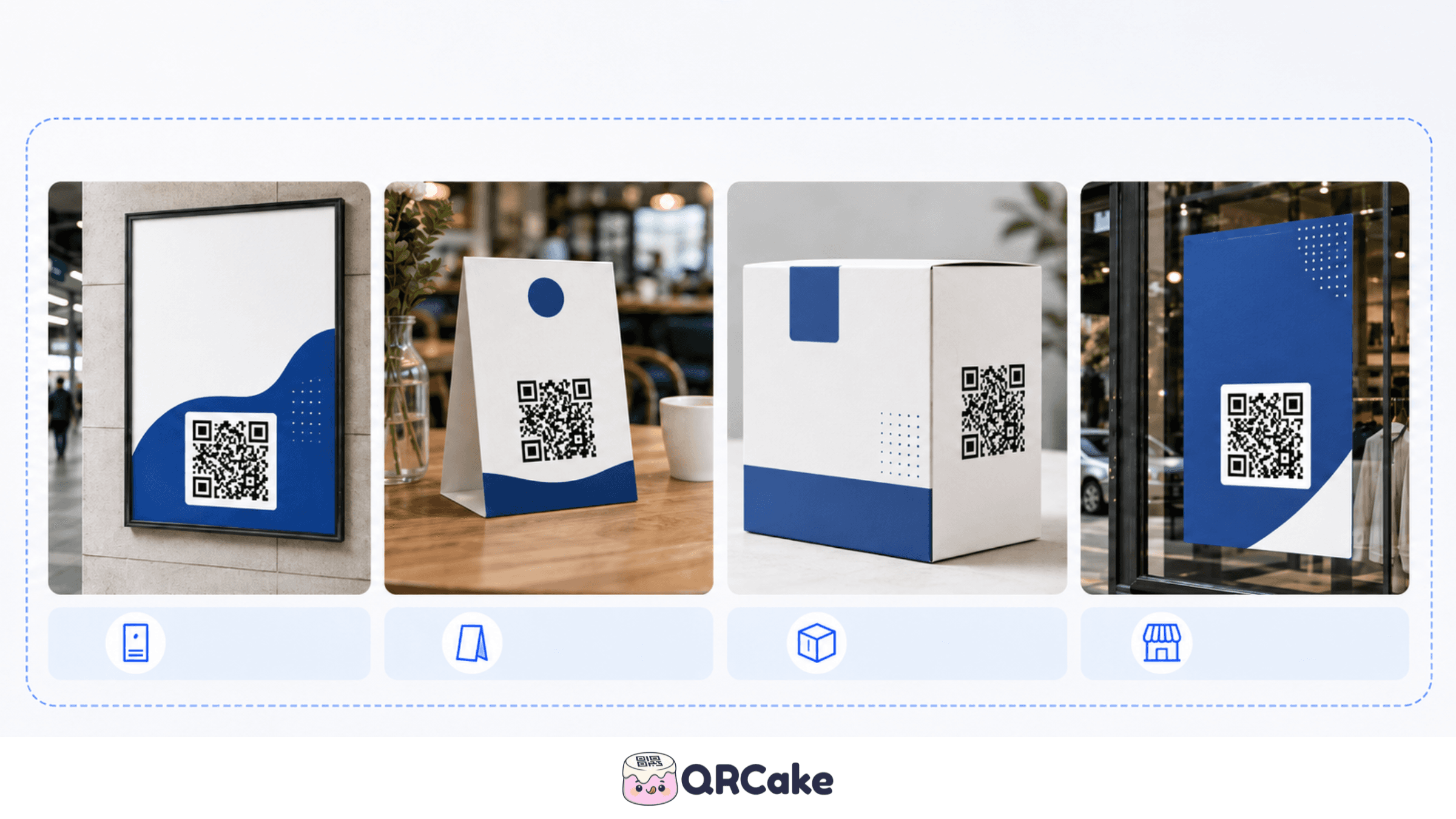
This playbook covers placement by venue, the rules that apply everywhere, the placements that look obvious but underperform, and the ones that look unlikely but work surprisingly well. Written from real-world observation of what makes codes get scanned.
The 30-second version
Four rules beat any specific placement chart:
- Eye level wins. Standing customers: 150-170 cm from the floor. Seated diners: about 90 cm. People in a queue: waist height, where the phone naturally hangs.
- Match scan distance to code size using the 10:1 rule - a code two metres from the person scanning needs to be at least 20 cm wide.
- Every code needs a short label. Unlabelled codes get a fraction of the scans of labelled ones at every venue we have measured.
- The user must be still with their phone available. Placements that respect this (table standees, waiting-area signage, packaging) outperform placements that require multitasking (driving, walking, carrying).
The highest-scan placements in real-world data: restaurant table standees, real-estate For Sale signs at eye level, retail till-counter cards, hotel-room desk standees, and product packaging that the customer sees during unboxing.
The four rules that always apply
Before getting into specific venues, the four rules that apply everywhere:
Rule 1: Eye level wins. Codes positioned at the natural eye level of the person scanning get more scans than codes higher or lower. For seated diners, this is around 90 cm from the floor. For standing customers in a shop, around 150-170 cm. For people in a queue, treat the eye level as wherever their phone naturally hangs - usually waist height.
Rule 2: Match scan distance to code size. The 10:1 rule applies everywhere - a code needs to be at least 1/10th the scan distance in width. A code 2 metres from the person scanning needs to be at least 20 cm wide. We cover this in detail in our QR Code Size Guide.
Rule 3: Every code needs a label. "Scan to see the menu," "Tap for the wine list," "Special offers" - anything short and direct. Unlabelled codes get a fraction of the scans of labelled ones, regardless of design quality. This is the single highest-ROI tweak.
Rule 4: The user needs to be still, with their phone available. People scan when they're stationary and not carrying anything. Placements that respect this - table standees, waiting-area signage, product packaging - outperform placements that require multitasking.
Restaurants
Restaurants are the most-studied QR placement venue because of the COVID-era menu adoption. The winning placements:
Table standees. The single best placement. Small, weighted, eye-level when seated, hard to knock over. Put the QR code on one face and the WiFi password on the other.
Menu inserts. A printed mini-menu (drinks, specials) with the full menu as a QR on the back. Captures customers who weren't sure about scanning until they saw the partial menu.
Front window or door. A larger code visible from the street, for passers-by deciding whether to come in. 8-15 cm size is right. Include a label: "Scan to see our menu."
Bar stools. Small standees for solo drinkers and casual bar customers.
Outdoor terrace tables. Weatherproof codes laminated or printed on acrylic. Higher size requirement (4-5 cm) because outdoor light is variable.
Where restaurants get it wrong:
- Codes on chairs or benches. People sit on them; they get scuffed.
- Codes under glass tabletops. Reflection breaks scans.
- A single code at the bar counter, far from where diners sit. Diners won't get up to walk over.
- No paper backup available. Some diners can't or won't scan - keep paper on request.
For full restaurant guidance, see our QR code menu setup guide.
Retail
Retail placement is more complex because customers move through the space.
Product shelf strips. Small QR codes on the shelf-edge strip next to a product, linking to detailed information, reviews, or a how-to video. Works because customers can scan with the product in front of them. Size: 2.5-3 cm.
Endcap displays. Larger codes (8-10 cm) on the prominent end of an aisle, linking to a featured offer or promotional video. The customer is stationary, not blocking traffic.
Fitting rooms. A code linking to size guides, fit videos, or a "request another size" form. Customers are alone, have their phone out, and have time.
Counter / till area. A code linking to a loyalty signup, review request, or social follow. Customers are momentarily idle while their transaction processes.
Receipts. A QR code printed on the receipt linking to a feedback form, a return-of-product flow, or a re-order page. Effective for online follow-up after the customer leaves.
Where retail gets it wrong:
- Codes at floor level on the front of displays. Nobody crouches to scan.
- Codes inside a glass display case. Glass reflection breaks scans almost universally.
- Codes on a product label so small they're under 1.5 cm. Sub-minimum size = sub-minimum scans.
- One code for every product in a category. Specific is better than general; a code for one featured product outperforms a code for "see all products."
Packaging
QR codes on product packaging are growing fast - both because of marketing use cases and because of regulatory requirements (food allergen info, FDA UDI for medical devices, FSMA 204 traceability for some foods).
Best placements on packaging:
- Side or back panel, near the existing barcode. Customers already look here for the price-and-barcode area.
- Inside the lid or under the cap. For products customers buy and then unpack - opens up a post-purchase engagement.
- The base of the package (for products displayed on a shelf top-down).
Size considerations:
- Flat panels: 2.5-3 cm.
- Curved surfaces (cans, bottles): use a flat label section if possible; if not, accept that scan rates will be lower because the curve distorts the code in the camera.
- Very small packaging (lipstick, sample sachets, small drink containers): consider whether a QR code is even appropriate - if you can't fit 2 cm × 2 cm, you might be better off without one.
Where packaging gets it wrong:
- Codes printed across folds or creases. The fold breaks the pattern.
- Codes on glossy plastic without anti-glare consideration. Scan rates drop dramatically.
- Codes hidden under shrink-wrap. Customers can't scan until after purchase, which kills the engagement point.
Events and conferences
Events are high-scan-density environments - short attention spans, lots of competing signals, people moving fast.
Best placements:
- Lanyard back. Each attendee's lanyard has a code linking to their contact info or social. Encourages spontaneous networking.
- Session room entry. Larger codes (10-15 cm) at the door linking to the session's slides, feedback form, or speaker bio.
- Booth signage. At every booth, eye-level code linking to a lead-capture form, a downloadable PDF, or the company's social.
- Catering area. Codes near food and drink stations linking to allergen info, dietary tags, or wine pairings.
- Restrooms. Surprisingly effective for survey or feedback codes - captive audience, idle moment.
Event-specific tips:
- Use a separate dynamic code per booth or per session so you can see which performed best.
- Print codes large enough to scan from queue distance (10-15 cm is right for booth signage seen from 1-2 m away).
- Include a label that explains the value of scanning: "Scan to download the slide deck" beats "Scan here."
Where event placement gets it wrong:
- Codes only inside the booth, requiring people to step in. Many won't. Put codes on the outer-facing sign.
- Codes printed on glossy banner stands with overhead lighting glare. Common and avoidable.
- One generic conference QR code for everything. Better to have several specific codes.
Real estate
Real estate QR codes are growing in popularity for property marketing.
Best placements:
- For Sale signs. Large codes (10-15 cm) on the sign, linking to property details. The viewer is stationary and curious.
- Open house brochures. Smaller codes (3-4 cm) in the brochure handed to viewers, linking to virtual tours, neighbourhood data, or contact forms.
- Window displays at the estate agent's office. Codes on property listings in the window, scannable by passers-by.
- Inside the property during showings. Small codes near specific features (kitchen, garden, master bedroom) linking to upgrade options or floor plans.
Where it gets it wrong:
- Codes too high or too low on For Sale signs. Eye-level scanning is rare here - viewers are often in cars or walking. Mid-sign height (about 1.5 m from ground) works best.
- Codes that point to a homepage instead of the specific property page. A code on a property sign should land directly on that property's listing.
Vehicles
Vehicle wraps and side-of-van codes have a specific challenge: the person scanning is approaching a moving (or recently-moving) object.
Best placements:
- Rear of the vehicle. Visible to drivers stopped behind in traffic. 30-50 cm code.
- Side panel near the rear. Visible to pedestrians on the pavement. 30-40 cm code.
- Not the front bumper. Approaching visitors can't read codes coming at them.
Realistic expectation: vehicle-wrap scan rates are low overall. The placement is mostly a brand awareness signal; expect single-digit percentages of impressions to convert to scans.
Print marketing
Magazine ads, flyers, direct mail, and brochures all have unique constraints.
Best placements:
- Bottom-right corner of a magazine ad. This is where readers naturally look last and have the most time to engage.
- Centre of a flyer. Strong eye-magnet placement, especially with a clear label.
- Back of a postcard / direct mail piece. The "what to do next" position.
- Inside cover of a brochure. Captures the reader as they open the document.
Size: 3-4 cm for arm's-length print reading.
Where print gets it wrong:
- Codes in the gutter (the centre fold) of a magazine spread. The fold distorts the code.
- Codes on top of busy backgrounds. Lower contrast = lower scan rate.
- Codes printed in a colour that matches the brand but kills contrast with the background.
Office and workplace
Internal codes for employees and visitors:
Best placements:
- Reception desk. Codes for WiFi, visitor signup, or building info.
- Meeting rooms. Codes for room booking, AV instructions, or feedback.
- Break rooms. Codes for menus, schedules, or internal announcements.
- Bathroom doors. For internal surveys, feedback forms, or facility-issue reporting.
Where it gets it wrong:
- Codes on the back of employee badges. Hard to scan; users would rather just ask.
- Codes hidden in HR documents. Employees won't go hunting for them.
Outdoor and weather-exposed locations
Outdoor codes face four challenges: UV fading, weather damage, vandalism, and variable lighting.
Mitigation:
- UV-resistant ink. Standard inkjet codes fade in direct sun within months.
- Laminate or protective overlay. Adds a year or more of working life.
- Acrylic or metal substrate instead of paper for permanent installations.
- Larger size than the formula suggests to compensate for partial weather damage.
- Dynamic codes so you can update destinations even after the physical code has been in place for years. For long-lived outdoor signage, also vet the provider's cancellation policy - QR Cake is one of the providers whose dynamic codes keep resolving even if you stop paying, which matters when the sign is bolted to a wall for a decade.
Common outdoor placements:
- Parking meters and EV chargers (high phishing risk - choose providers with robust account security)
- Bus stops and transit shelters
- Public art / wayfinding signage
- Building exterior signage
- Park information boards
The placements that look obvious but underperform
Worth flagging because they're common and waste budget:
Billboards. People driving past don't have time to scan. Pedestrian-adjacent billboards (bus stops, transit platforms) can work; highway billboards almost never do.
TV adverts. Brief on-screen time, viewers seated several metres away, often with hands busy. Codes need to fill 15-20% of the frame for several seconds - and even then, scan rates are low. Use codes here mostly for brand-awareness purposes, not for direct response.
Email signatures. Most people read email on the same device the QR code is displayed on, so they can't easily scan. The "long-press to recognise" workflow works on iOS 16+ but most users don't know about it.
Inside paper letters / printed mail. Recipients open mail, then put their phone aside to read. By the time they finish reading, scanning feels like effort. Direct mail QR codes work better when printed on the outside of the envelope.
The placements that look unlikely but work
Coasters and beermats. Hands-free, eye-level when drinking, customer has time.
Toilet door interiors. Captive audience, idle moment.
Coffee cup sleeves. Cardboard sleeves with a printed code work well in queue and to-go scenarios.
Inside the lids of food delivery boxes. Captures the engagement moment when the package arrives.
Ticket stubs from cinemas, museums, or events. Customers keep these; codes linking to reviews or related-content recommendations earn long-tail engagement.
Putting it all together: the planning sequence
When deciding where to place a QR code:
- Identify the scan moment. When and where is the user likely to scan? They need to be stationary, have their phone available, and have a reason to act.
- Pick the placement that maximises that moment. Not necessarily the most visible location overall.
- Apply the four universal rules (eye level, size, label, idle user).
- Test before printing at volume. One printed sample, multiple phones, multiple lighting conditions.
- Track scans by placement. Use a separate dynamic code per placement so you can see which spots actually work. A free QR Cake account lets you generate as many separate dynamic codes as you need without committing to a paid plan - useful if you want one code per table, booth, or window.
Frequently asked questions
Where should I put a QR code on my business card? Back of the card, centred horizontally, vertically aligned with the text. 2.5-3 cm size. Avoid placing the code over patterns or busy backgrounds that reduce contrast.
What's the best place for a QR code on packaging? Side or back panel, near the existing barcode. 2.5-3 cm size. Flat surfaces only - avoid curved panels and folds.
Should QR codes always be at eye level? For most use cases, yes. Eye level is where customers naturally look. For seated visitors (restaurants, trains), 90 cm from the floor. For standing customers, 150-170 cm.
Do QR codes work in dark environments? They work if the contrast is high and the code is large enough. Restaurant QR codes are the canonical "works in dim light" case - make them slightly larger than the daylight formula suggests.
Can I put a QR code on a curved surface like a drink can? Yes, but expect lower scan rates because the curve distorts the code in the camera. Use a flat label section if possible.
Why don't billboard QR codes work? Because the audience is moving and doesn't have time to stop, focus, and scan. Pedestrian-adjacent placements work better - bus stops, transit platforms, anywhere people are waiting.
Should I use one QR code or multiple for different products? Multiple, almost always. A code per product or per use case lets you track performance separately and route users to the right destination.
What's the most common QR code placement mistake? Not adding a call-to-action label next to the code. An unlabelled code gets a fraction of the scans of one with a clear "Scan to [action]" label.
Bottom line
Placement multiplies or divides the value of every other QR code decision you make. The visual design, the destination, the dynamic-versus-static choice - all are amplified or dampened by where the code lives.
Get placement right and you don't need a perfect code. Get placement wrong and a perfect code still won't scan.
Generate a dynamic QR code you can place anywhere
Ready to make your own QR code?
Create a dynamic QR code you can edit after printing. Free to start, no card required, unlimited scans, and your codes never expire.

About the QR Cake team
Written by the QR Cake team - the people building QR Cake, a dynamic QR code platform used for editable print campaigns, Canva QR codes, scan analytics, and long-lived QR redirects that keep working after subscriptions end.
Learn more about QR CakeFrequently asked questions
- Where should I put a QR code on my business card?
- Back of the card, centred horizontally, vertically aligned with the text. 2.5-3 cm size. Avoid placing the code over patterns or busy backgrounds.
- What's the best place for a QR code on packaging?
- Side or back panel, near the existing barcode. 2.5-3 cm size. Flat surfaces only - avoid curved panels and folds.
- Do QR codes work in dark environments?
- They work if the contrast is high and the code is large enough. For restaurants and other dim environments, make codes slightly larger than the daylight formula suggests.
- Can I put a QR code on a curved surface?
- Yes, but expect lower scan rates because the curve distorts the code in the camera. Use a flat label section if possible.
- Why don't billboard QR codes work?
- Because the audience is moving and doesn't have time to stop, focus, and scan. Pedestrian-adjacent placements like bus stops and transit platforms work better.
- What's the most common QR code placement mistake?
- Not adding a call-to-action label next to the code. An unlabelled code gets a fraction of the scans of one with a clear 'Scan to [action]' label.
Related Articles
Keep reading practical QR code guides, examples, and optimization tips.
QR Cake vs Bitly QR: Which Is Better for Dynamic QR Campaigns?
Both platforms can generate QR codes. The more useful question is which one fits the work you need to do after the code has been printed and published.
QR Codes for Real Estate: The Complete 2026 Guide for Agents and Brokers
Real estate is one of the highest-fit verticals for QR codes. Buyers approach a property at exactly the moment they're most curious - a well-placed code converts that into information access faster than any other channel.
QR Codes on Product Packaging: The 2026 Guide (Use Cases, Regulations, and Pitfalls)
Most major CPG brands now ship products with QR codes. The interesting question is no longer whether to use a code, but what for - and most teams underperform here.